
Projects#
Projects are linked to clients and hold the business side of the cooperation: who is responsible for the project, how many hours are contracted, and at what rate.
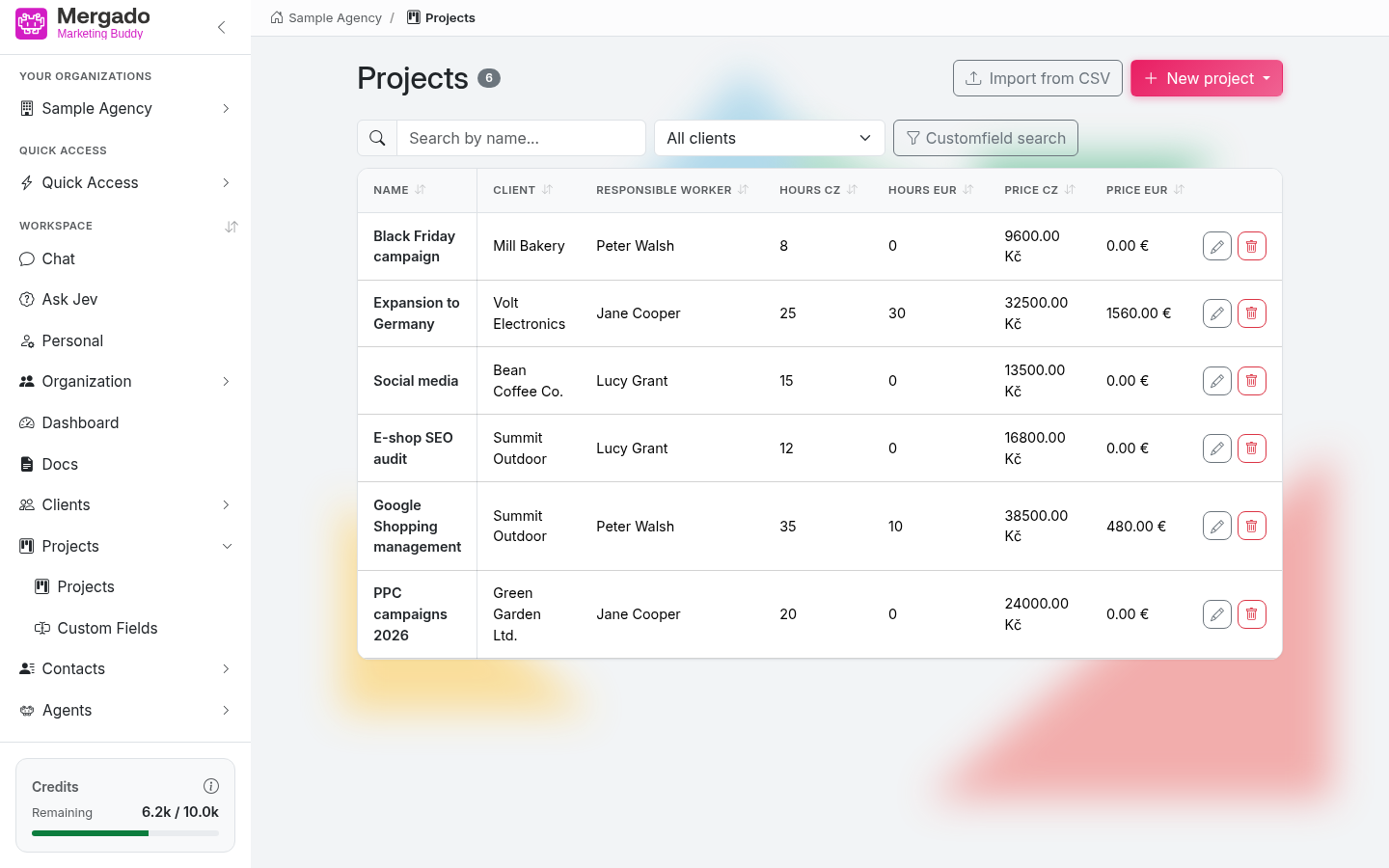
Page layout#
- The Projects heading with the number of records, the Import from CSV button, and the New project button.
- The Search by name… field, the All clients selection (limits the list to one client), and the Search in custom fields button – it works the same way as in Clients.
- A table with the columns Name, Client, Responsible person, Hours CZ, Hours EUR, Price CZ, and Price EUR, followed by custom fields with the Show in overview option. Click a column header to sort the table.
- At the end of each row is a pencil (edit) and a trash icon (delete).
When you come to the page by clicking the number of projects next to a client, the client selection is prefilled.
In the left panel, the section has the items Projects and Custom fields.
New project and editing a project#
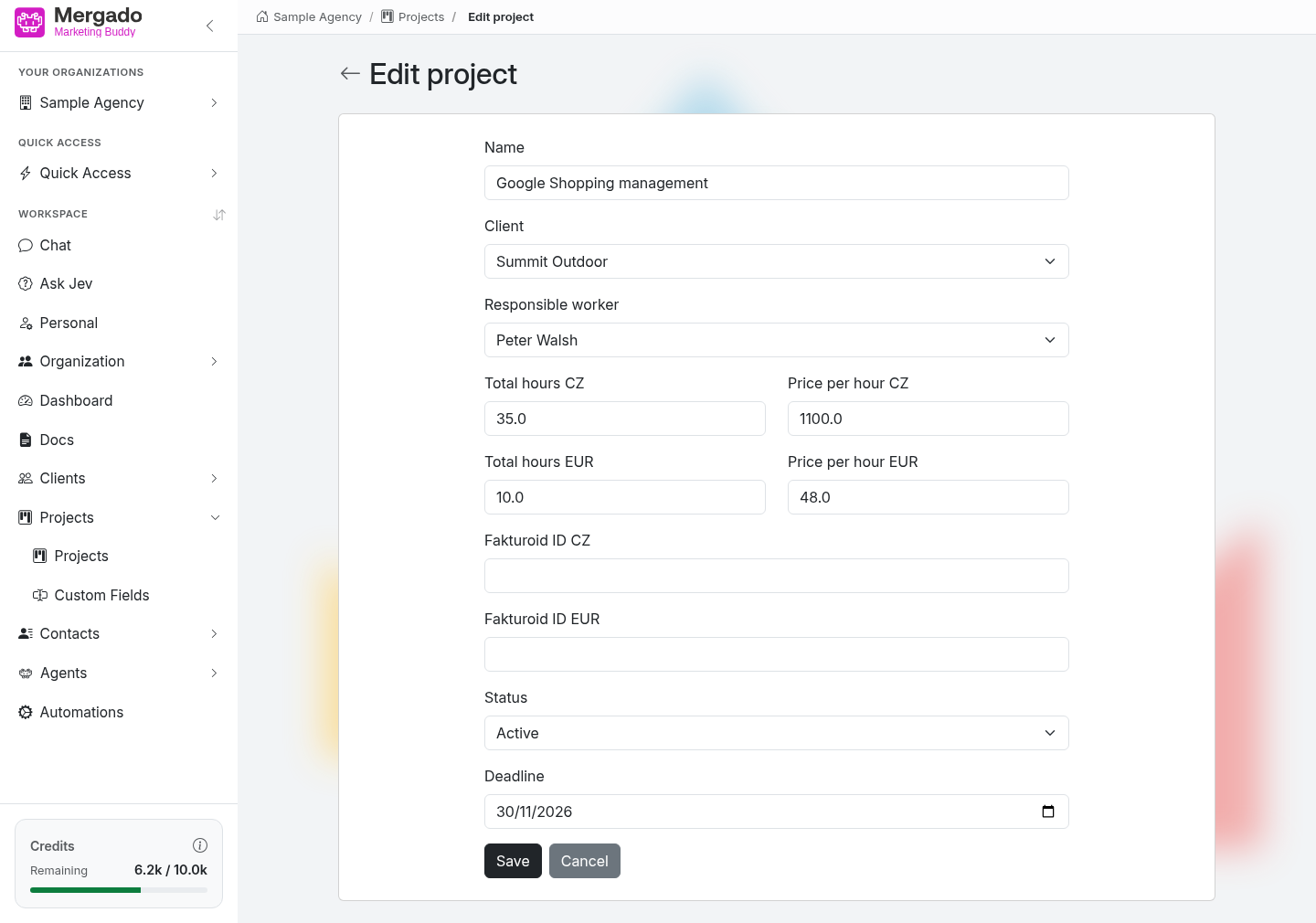
The form contains:
- Name – the project name (required)
- Client – the client the project belongs to (required)
- Responsible person – the responsible member of the organization (required)
- Total hours CZ / Price per hour CZ – contracted hours and the hourly rate in Czech crowns
- Total hours EUR / Price per hour EUR – contracted hours and the hourly rate in euros
- Fakturoid ID CZ / Fakturoid ID EUR – links to invoicing documents in Fakturoid (optional)
- all custom fields the organization has defined
Empty hours and rates count as zero; negative values cannot be saved. Save with the Save button. When editing, fields with an agent for automatic filling have a Fill with agent link.
Import from CSV#
Use the Import from CSV button to create several projects at once. The recognized columns are name, client (client name or ID), responsible_worker (name or ID of an organization member), total_hours_cz, price_per_hour_cz, total_hours_eur, price_per_hour_eur, facturoid_id_cz, facturoid_id_eur, and the names of custom fields. You can download a template directly in the dialog.
Custom fields#
Just like for clients, you can add custom fields – with a data type, a required flag, the Show in overview option, an order, and optionally an agent for automatic filling. The details are described in Clients.
What you can do here#
- Create a project for a client and assign a responsible person.
- Track hours and rates in both Czech crowns and euros.
- Link a project to documents in Fakturoid.
- Import projects from a CSV.
- Assign documents and contact persons to a project.
FAQ#
Why are hours and prices separate for CZ and EUR? So that you can manage projects for both Czech and foreign clients without conversions. They are totaled separately in the client overview.
Does a project have to have a client? Yes, both the client and the responsible person are required.
What happens when I delete a project? The contact persons assigned to the project are deleted too – the application warns you about this before deleting.