
📊 Google#
The Google tab contains elements with data from Google Analytics 4, divided into two sections. It requires a connection in Mergado Keychain. You activate statistics with the Daily, 7-day and 30-day switches, and metrics with the Generate switch. The controls are shared across all sources and are described in the introduction to the Interface section.
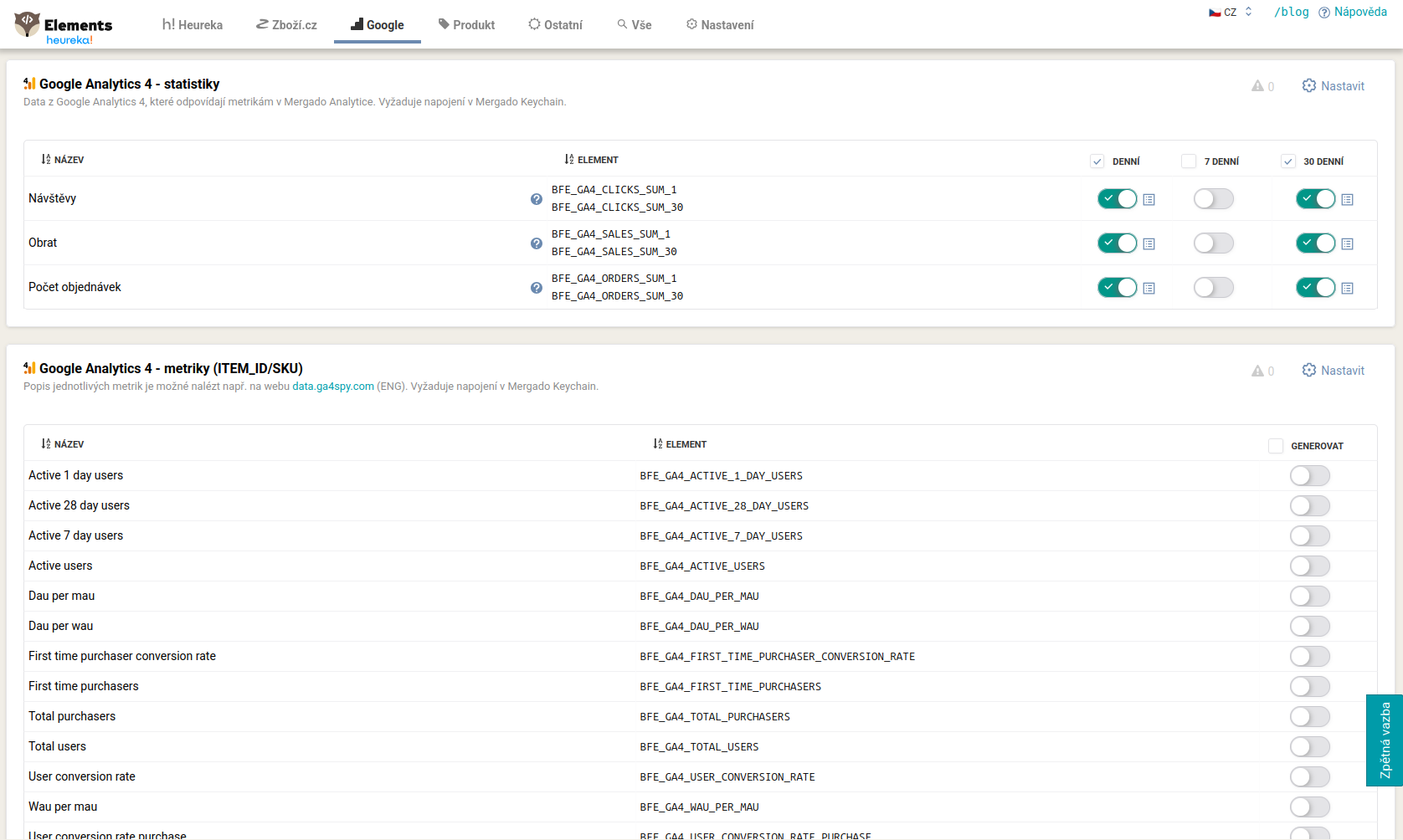
Statistics#
Data from GA4 that corresponds to the metrics:
-
BFE_GA4_CLICKS_SUM_x(visits), -
BFE_GA4_SALES_SUM_x(revenue), -
BFE_GA4_ORDERS_SUM_x(number of orders).
The _1, _7 or _30 suffix distinguishes the period (for example BFE_GA4_CLICKS_SUM_30 is visits over 30 days).
Metrics#
Dozens of standard GA4 metrics, activated with the Generate switch. These include, for example, user activity (BFE_GA4_ACTIVE_USERS, BFE_GA4_NEW_USERS), purchases and conversions (BFE_GA4_TOTAL_PURCHASERS, BFE_GA4_USER_CONVERSION_RATE, BFE_GA4_TRANSACTIONS), product metrics (BFE_GA4_ITEM_REVENUE, BFE_GA4_ITEMS_VIEWED, BFE_GA4_ADD_TO_CARTS), revenue (BFE_GA4_TOTAL_REVENUE), sessions and engagement (BFE_GA4_ENGAGED_SESSIONS, BFE_GA4_BOUNCE_RATE), or events and views (BFE_GA4_EVENT_COUNT, BFE_GA4_SCREEN_PAGE_VIEWS). You can find a description of individual metrics, for example, on the data.ga4spy.com website.
💡 The name of this section changes according to the pairing chosen in Settings: “metrics (landing page)” when pairing by URL, or “metrics (ITEM_ID/SKU)” when pairing by product ID.
For GA4 data to be correctly assigned to products, you need to have pairing set up. You handle this in Settings, where you choose pairing by landing page (URL) or by Item ID and filter the source and medium.
FAQ#
-
GA4 data is zero or does not pair. The most common cause is a trailing slash at the end of the URL in the feed that is missing in GA4, or an incorrectly set source and medium. You will find the settings and solution in Settings.
-
I have variants on Shoptet and the ID does not match. Pair by the
CODEelement instead ofITEM_ID. The procedure is described in Settings. -
What do the
**\_SUM_1**and**\_SUM_30**statistics mean? The number indicates how many days the metric is summed over (for exampleBFE_GA4_CLICKS_SUM_30is visits over 30 days). -
Where can I find what each metric means? You can find a description of standard GA4 metrics, for example, on the data.ga4spy.com website.
-
I have little data on a price-comparison site, can I take data across all channels? Yes. In Settings, set the regular expression
.*in the Source field. This takes data from GA4 for all sources (Heureka, Zboží.cz, Google, Facebook and others). It is useful for niche price-comparison sites (Favi, Glami, Biano), where you are just starting out and want to support products that generally perform well.