
Connections#
Connections handle two directions of data flow: inbound (data Pricing Fox uses to calculate the price) and outbound (where Pricing Fox sends the resulting price).
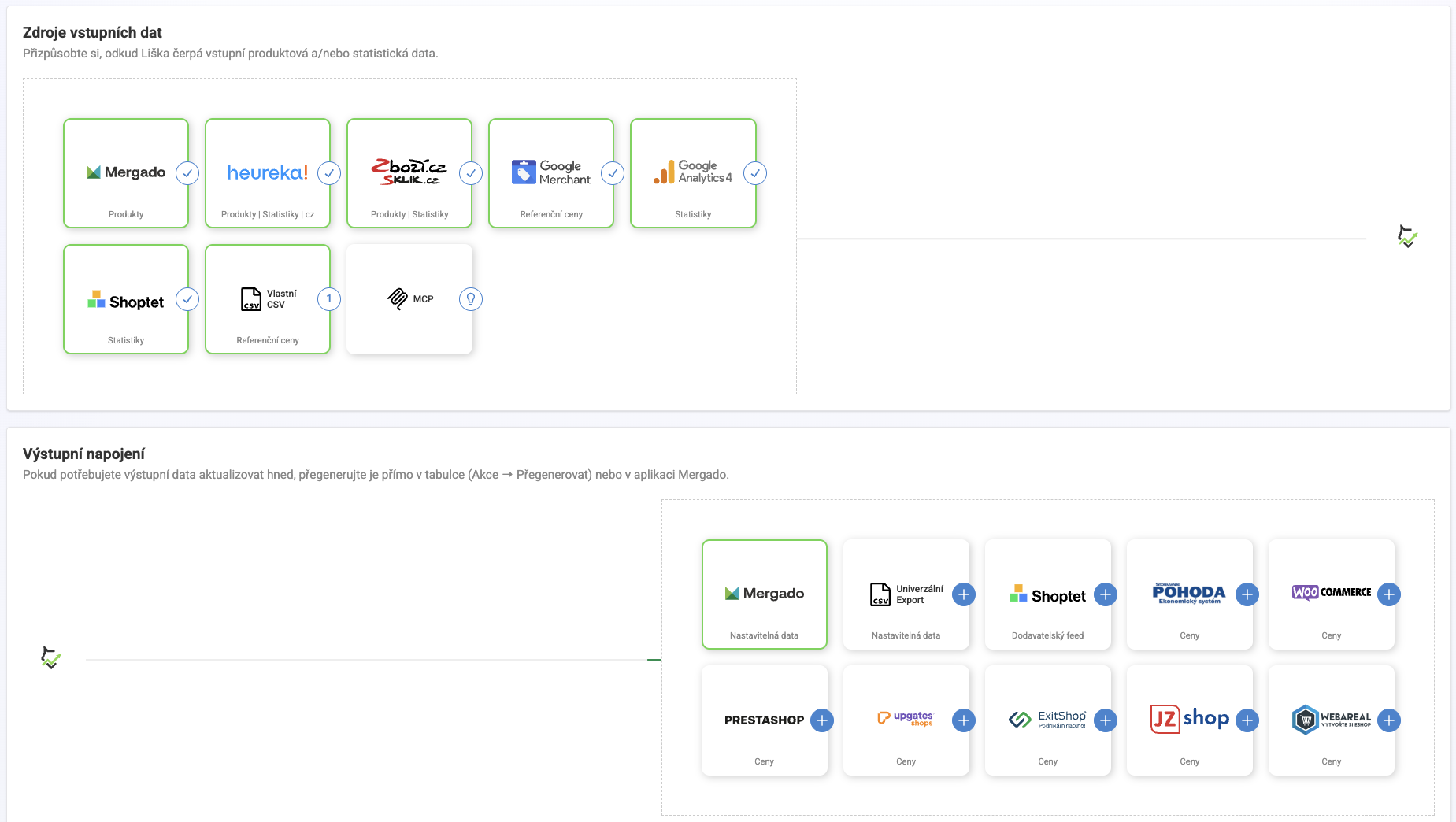
Input connections#
| Source | Data type |
|---|---|
| Mergado | Product and custom data — always active, the base layer |
| Heureka | Competitor offers and performance statistics |
| Zboží.cz Sklik | Competitor offers and performance statistics |
| Google Merchant Center | Reference prices from Merchant Center |
| Google Analytics 4 | Traffic and product performance statistics |
| Shoptet | Order and revenue statistics |
| Custom CSV | Your own reference prices, downloaded periodically — handy for a supplier price list, for example |
| MCP | Integration with AI assistants |
Output connections#
| Connector | Output type |
|---|---|
| Mergado | New elements written directly into the feed |
| Universal Export | CSV / XLS / XML at a fixed public address |
| Shoptet | Supplier XML feed |
| POHODA | XML import into inventory management |
| WooCommerce | Prices via REST API |
| PrestaShop | Prices via Webservice API |
| Upgates | Prices via the official add-on |
| ExitShop | Prices via API |
| JZ shop | Prices via API |
| Webareal | Prices via API |
Watch out for the similar name: Shoptet appears both among inputs (reading data for matching) and among outputs (sending new prices) — these are two independently configured things.
How often Pricing Fox sends prices out#
For most output connections you can set whether Pricing Fox sends only products with a changed price (runs more often, typically hourly), or always the whole catalog (runs less often, typically every 4 hours). If it seems like some prices in the target system update more slowly than others, this setting is usually why. If you don’t want to wait for the regular interval, the Regenerate button in the connections table forces an immediate send.
The only mandatory connection is Mergado, always active. All other inputs and outputs are optional — you only turn on the ones whose data or channel you actually use.
How data flows through Pricing Fox#
- Pricing Fox loads the products and data you want to work with.
- It adds data from activated external sources (Heureka, Zboží.cz, GMC, GA4, Shoptet…).
- Rules evaluate the available data and calculate the new price.
- The resulting price is returned via the chosen output connection back to your store or another system.
Login credentials#
Access to external data sources (Heureka, Zboží.cz, GA4, GMC, Shoptet) is handled centrally via Mergado Keychain — you enter your login details once, and Pricing Fox then uses them across that integration instead of asking again.
FAQ#
Do I need to have all connections active for Pricing Fox to work? No. The only mandatory connection is Mergado, which is always active. Other input sources are optional — activate only the ones whose data you want to use in pricing or reports.
How do I know a connection is working correctly? For input connections, status is visible directly on the tile — a green checkmark means an active, working connection. For output connections, check the Status column in the table (it should say “Done”) and Items written (should match your product count).
Can I have multiple output connections at once? Yes. Pricing Fox can send prices to Mergado, Shoptet, Pohoda, and other systems simultaneously — each connection works independently and they can be combined freely.