
🔔 Alerts#
Alerts watch how your values develop and notify you when a condition you set occurs. That way you catch a feed outage, low credit, or products below the minimum cost per click.
List of alerts#
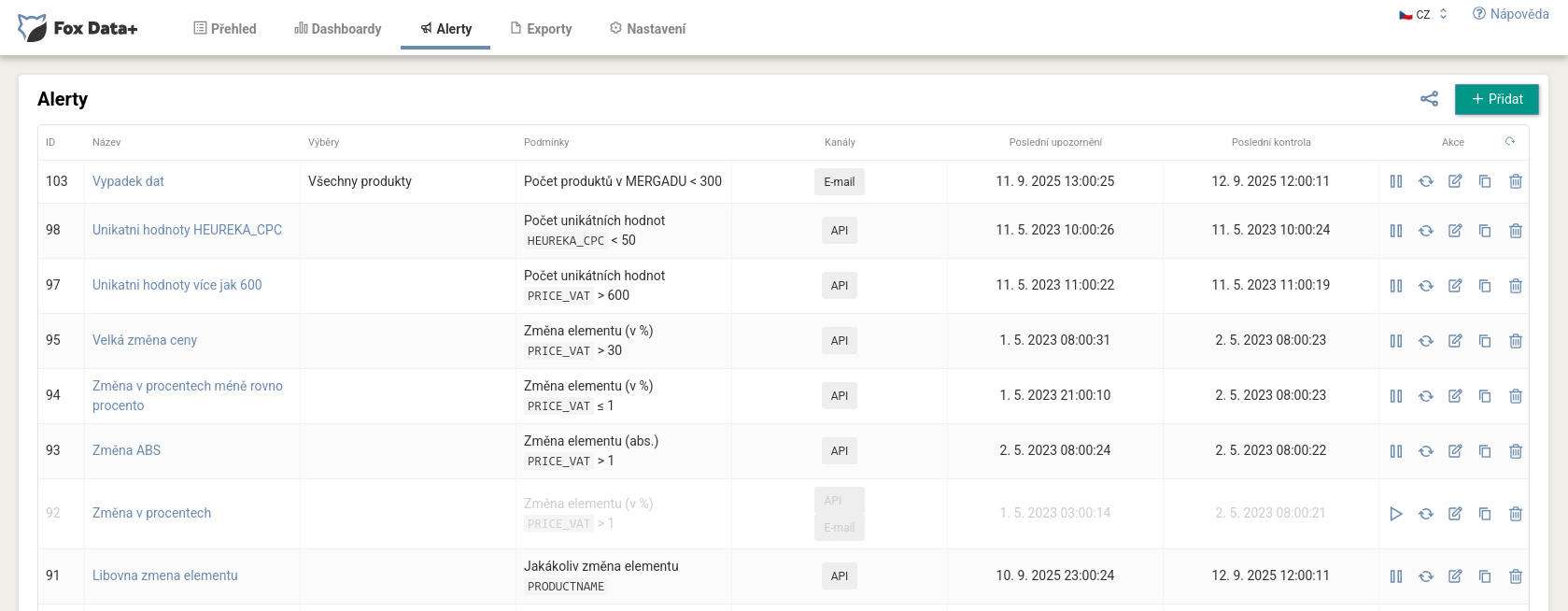
The table shows each alert’s name, queries, conditions, delivery channels (Email, Mergado, API), and the time of the last notification and last check. Each has actions to pause, resume, edit, duplicate, and delete. Create a new one with the Add button.
Alert settings#
An alert has two parts, Properties and Notifications.
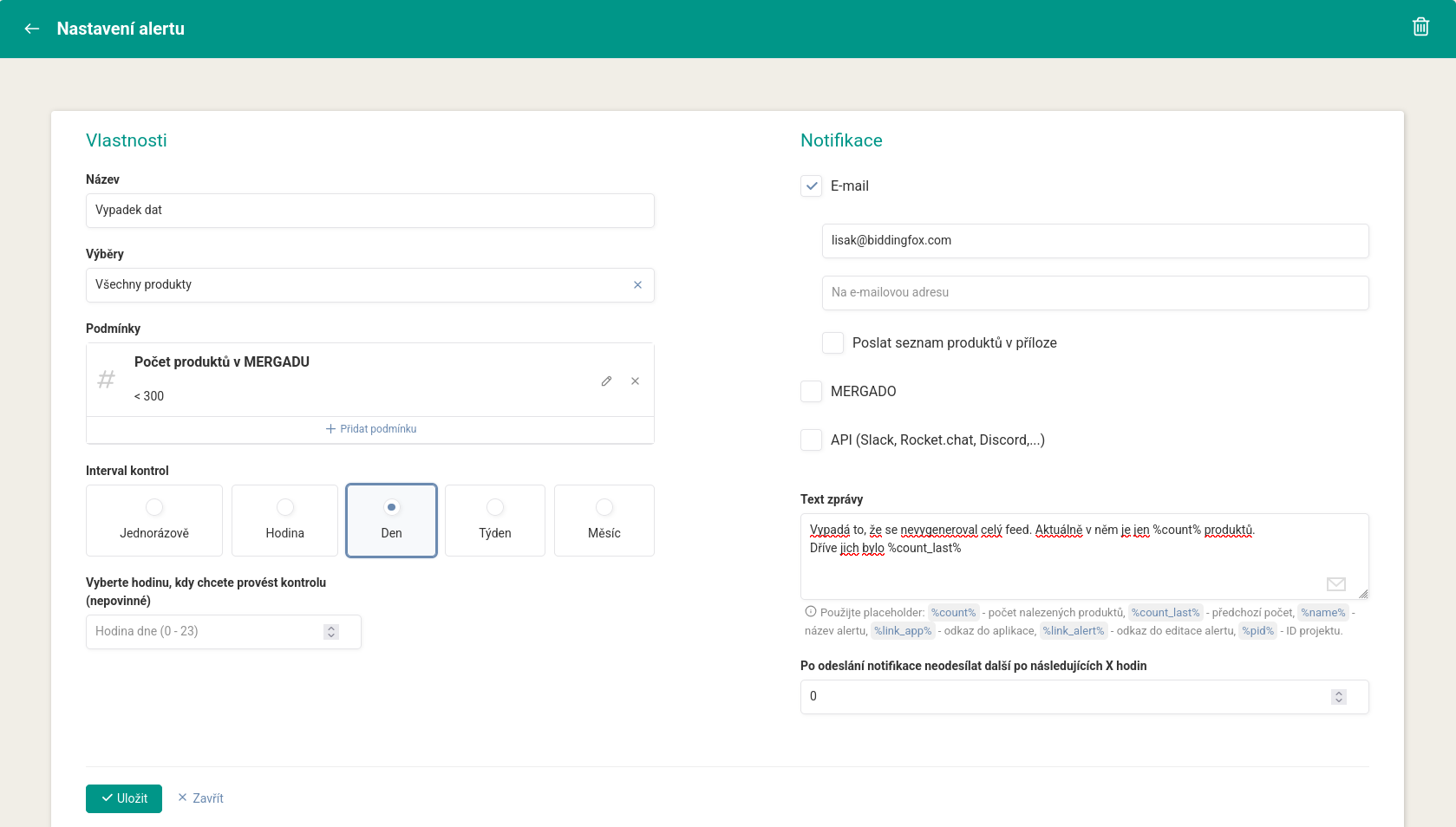
Under Properties you enter a name, choose a product query from Mergado, and add one or more conditions, for example:
- the number of products in the query (such as “Number of products in Mergado < 300”),
- the number of unique values of an element,
- a change of an element in percent or absolute terms,
- a specific value of an element.
Then you choose the check interval (once, hourly, daily, weekly, monthly) and optionally the hour when the check should run.
Notifications#
Under Notifications you choose the channels:
- Email (to the address you enter, optionally with a list of products attached),
- Mergado,
- API (Slack, Rocket.chat, Discord, and others via webhook).
You write the message text yourself and can use placeholders in it: %count% (number of products found), %count_last% (previous count), %name% (alert name), %link_app% (link to the extension), %link_alert% (link to edit the alert), and %pid% (project ID). The Don’t send another notification for the next X hours field mutes messages so they don’t arrive too often.
FAQ#
-
What conditions can I watch? The number of products in a query, the number of unique values of an element, a change of an element (in percent or absolute terms), or a specific value of an element.
-
Where does the notification arrive? By email, in Mergado, or via webhook on Slack, Discord, or Rocket.chat. Setup guides: Slack, Discord, Rocket.chat.
-
How do I avoid a flood of notifications? Set a minimum number of hours in the mute field, during which no further notification is sent after one goes out.
-
Can I get specific numbers into the message? Yes, using placeholders like
%count%or a link to an export with the list of affected products.