
Contacts#
The Contacts section keeps records of contact persons – people on the client’s side you work with on specific projects.
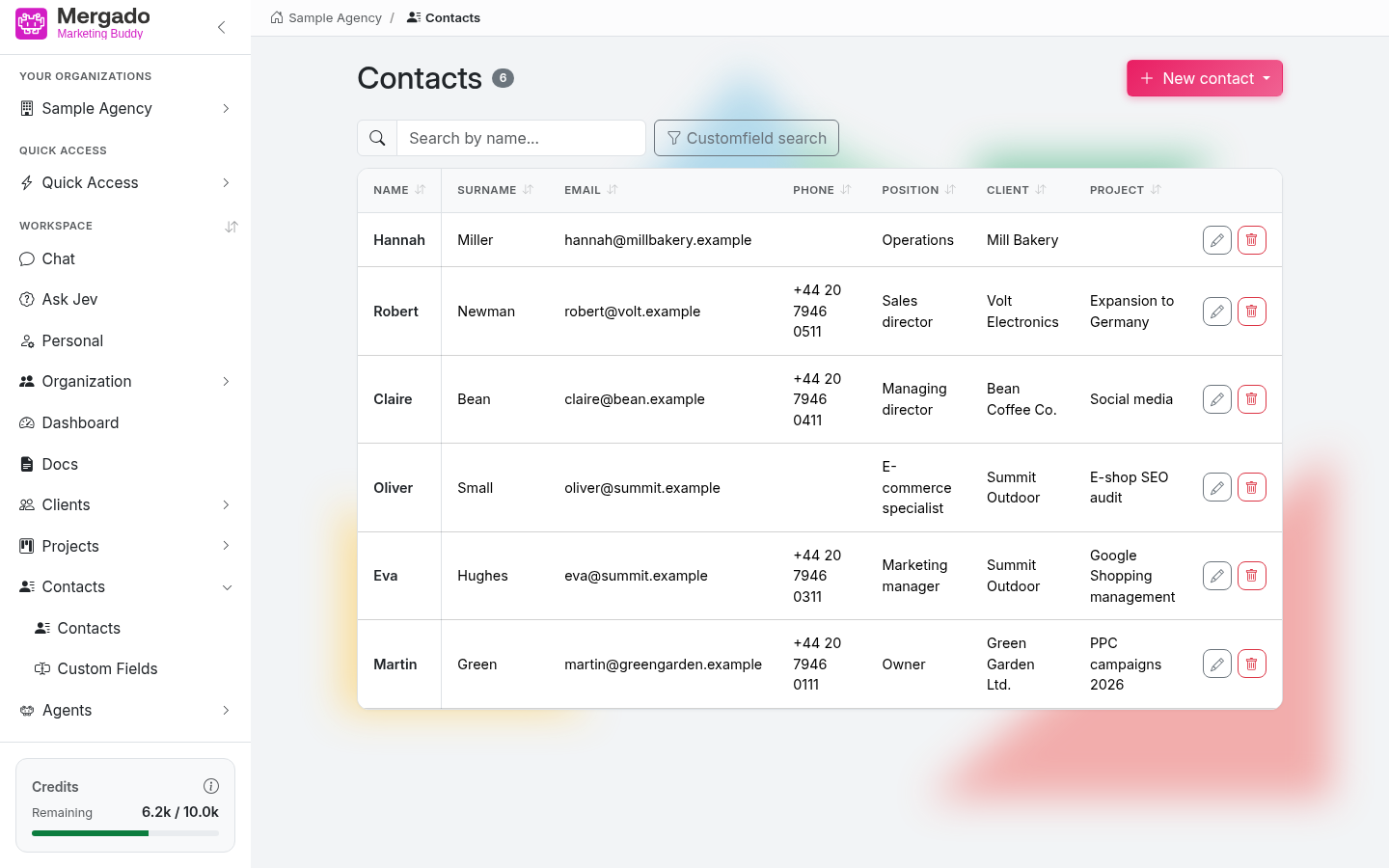
Page layout#
- The Contacts heading with the number of records and the New contact button.
- The Search by name… field (searches the first name) and the Search in custom fields button – it works the same way as in Clients.
- A table with the columns Name, Surname, Email, Phone, Position, Client, and Project, followed by custom fields with the Show in overview option. Until you create a contact, the text No contacts yet appears here.
- In the left panel, there are the items Contacts and Custom fields.
New contact person and editing#
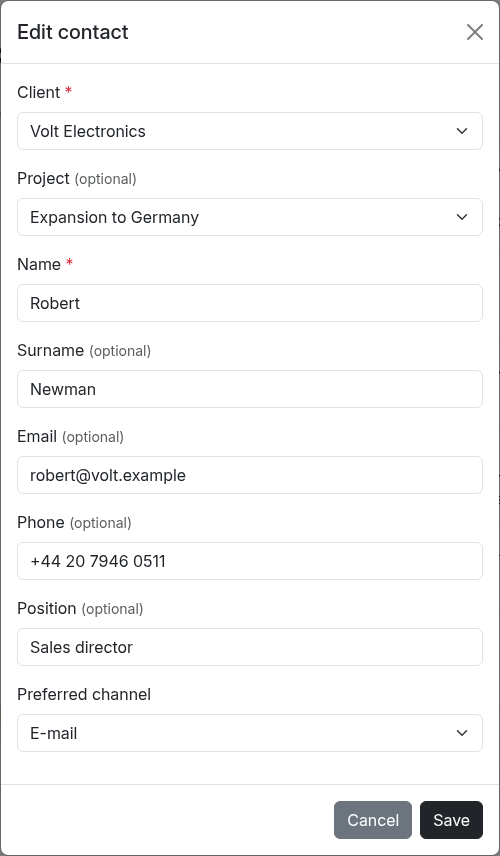
The form contains:
- Client (required) – the client the contact belongs to
- Project (optional) – the options are limited to the projects of the selected client
- Name (required) – the first name
- Surname, Email, Phone, Position (optional)
- custom fields
Save with the Save button. Edit a contact with the pencil in the table – the form opens in a window directly on the page, and fields with an agent for automatic filling have a Fill with agent link.
Custom fields#
The same mechanism as for clients and projects – custom fields with a data type, a required flag, the Show in overview option, an order, and optionally an agent for automatic filling. You can find a description of the types in Clients. You can import the custom field definitions for contacts from a CSV; the contacts themselves cannot be imported from a CSV.
What you can do here#
- Keep contact persons for clients and projects.
- Add custom fields to suit your internal needs.
- Assign documents to a contact (in Docs via Assign to → Contact person).
FAQ#
Does a contact have to have a project? No, a client and a name are enough. You can add the project, surname, email, phone, and position later.
What happens to a contact when I delete a client or project? The contact is deleted together with the client or the project it is assigned to.
Can the AI work with contacts? Yes, via the CRM extension in the chat. You can mention a specific contact in the chat by typing @.