
Visual Similarity#
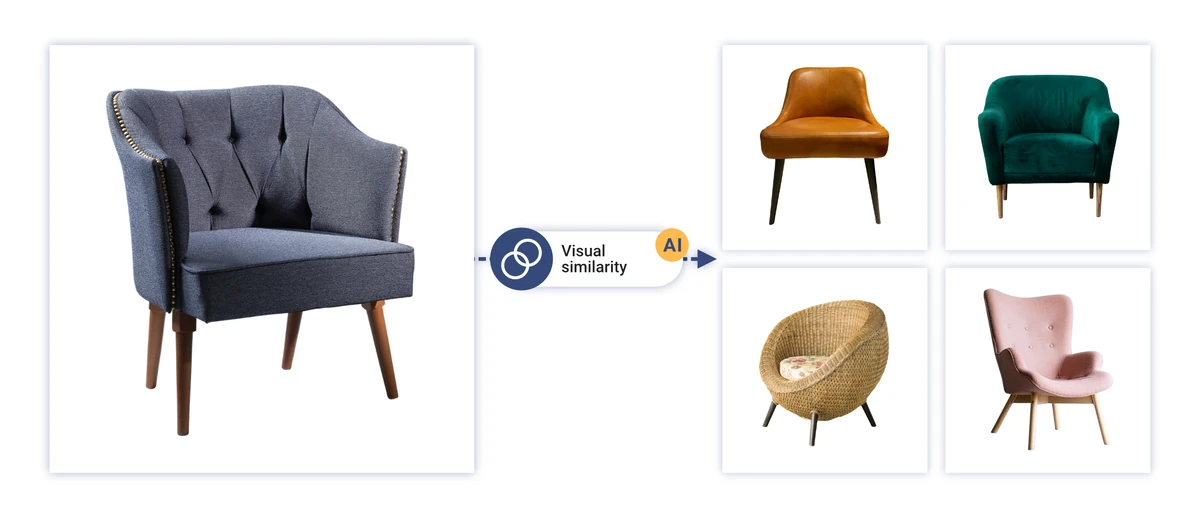
Visual Similarity is a Feed Image Editor feature that automatically finds and assigns visually similar products from your online store to every product in the feed. The result can then be used to display alternatives directly on product pages, so customers don’t have to leave to find what they’re looking for.
How it works#
Feed Image Editor compares product images across the entire feed using an AI model. For each product, it finds the most similar items and stores their identifiers in a new element in the feed.
You configure this on tab 4, in the AI tools section. After clicking through, you land on tab 5, where you choose:
-
Number of similar products – how many alternatives should be found for each product (the maximum is 20).
-
Similarity index – how strict the comparison should be. A higher value means a closer visual match but may reduce the number of results found. A lower value returns more alternatives, but less precise ones.
Processing runs in bulk across the whole feed. Once finished, the results are available in new elements that can be used further in rules or exported.
What it’s useful for#
Reducing product page abandonment. If a customer doesn’t find exactly what they were looking for, a visually similar product may catch their attention and keep them on the site instead of going to a competitor.
Higher average order value. Browsing alternatives increases the likelihood that a customer adds more items to the cart.
Better navigation of the catalog. Visually related products connect the assortment in a way that matches how customers naturally think – not by category, but by appearance.
Support for seasonal collections. The feature naturally links products from the same collection or style without having to set up that connection manually.
What you need#
-
Products must have an element in the feed filled with the image URL.
-
The feature works with images that are available online; local paths are not supported.
FAQ#
Where do I find the results after processing?#
The result is saved as a new element in the feed. The values typically contain identifiers (ID or URL) of similar products separated by a delimiter.
How long does processing take?#
It depends on the size of the feed. For smaller feeds (hundreds of products), it takes minutes; for larger ones (tens of thousands of products), processing may take longer. Processing runs in the background, so you don’t need to keep the extension open.
What happens if no similar products are found for a product?#
The element stays empty. This happens most often with unique products where the feed contains no visually close alternative, or when the similarity index is set too high.
Which similarity index should I choose?#
It depends on the assortment. For fashion or accessories, where customers appreciate even more distant alternatives, a lower value is suitable. For technical products, where an exact match matters (color, shape, type), we recommend a higher value and checking the results on the Previews page.
How do I display the results on the online store’s product pages?#
Feed Image Editor only generates the data. The technical integration into the store’s template is up to the store or its developer. The data from the elements is available in the feed and can be further processed in Mergado or exported.
Does the feature work for products without an image too?#
No. Visual Similarity compares images, so products without a valid image URL in the feed are excluded from processing.