
📦 Products#
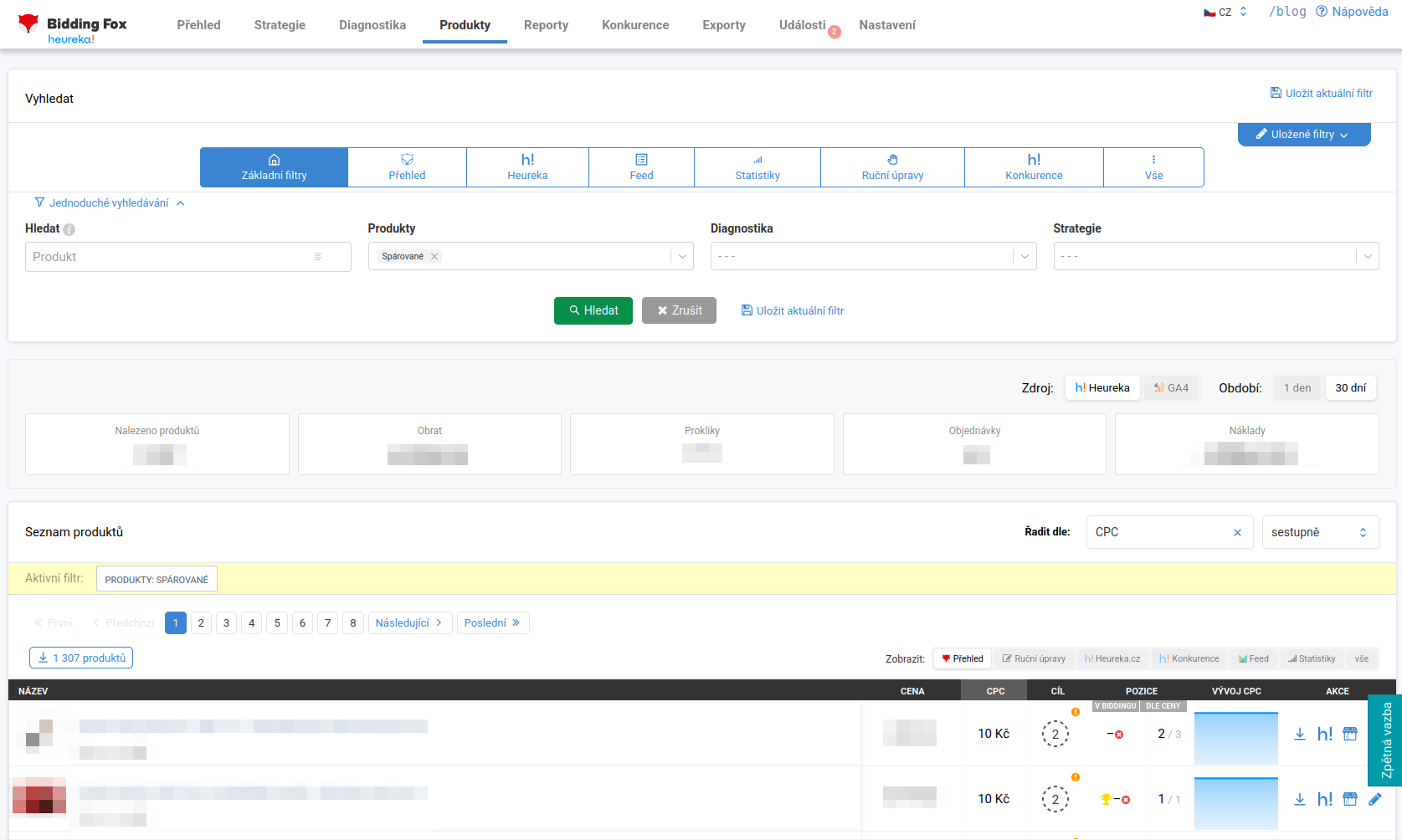
The Products page fulfills two roles. On the one hand it is a monitoring overview of your assortment, on the other hand it hides a number of filters and exports that significantly speed up your work. By default, matched products are displayed.
Search and filters#
The filters are divided into tabs: Basic filters, Overview, Heureka, Feed, Statistics, Manual adjustments, Competition and All. You switch between simple and advanced search using the button above the filters. In the basic view you combine searching by product, status (matched, outside bidding), diagnostics and strategy. In the Diagnostics filter you pick a specific message or validator, for example Maximum CPC set in the strategy reached, CPC is lower than the category minimum, CPC higher than half the product price, Bid higher than the product price or Rematched products.
Some filters are especially handy:
-
Search by URL: just paste the address of a product card from Heureka into the search box. When someone sends you a link, you do not have to laboriously look up the product by name or Item ID. You can paste several addresses at once.
-
Filter by price-comparison site category: you paste a category URL from Heureka (better than the category from the feed, because Heureka may place the product elsewhere).
-
TOP category products: lists products that are among the TOP in a given category on the price-comparison site. It updates automatically every day.
-
Competition filter: products where a specific competitor is cheaper or more expensive (see Competition).
Summary cards and data sources#
Above the list, depending on the active filter, summary information is displayed: Products found, Revenue, Clicks, Orders and Costs. Using the Source switch you choose between Heureka and GA4, and using the Period switch between 1 day and 30 days.
List of products#
For each product you see an image, name (with labels and information about the TOP position in the category), price, the currently bid cost per click, the target position, the position in bidding and by price and a CPC trend chart. Hovering over the bid price shows the minimum category CPC on Heureka or Zboží.cz, so you quickly recognize whether you are below the minimum (in which case you are not in bidding).
For projects on Zboží.cz there is also the MAX_CPC_SEARCH column, the maximum cost per click in search, which Zboží.cz counts separately from the cost per click in the product card.
Using the Display switch you change the set of columns (Overview, Manual adjustments, Heureka.cz, Competition, Feed, Statistics, all), the list can be sorted (for example by CPC) and the whole listing can be downloaded.
Product detail#
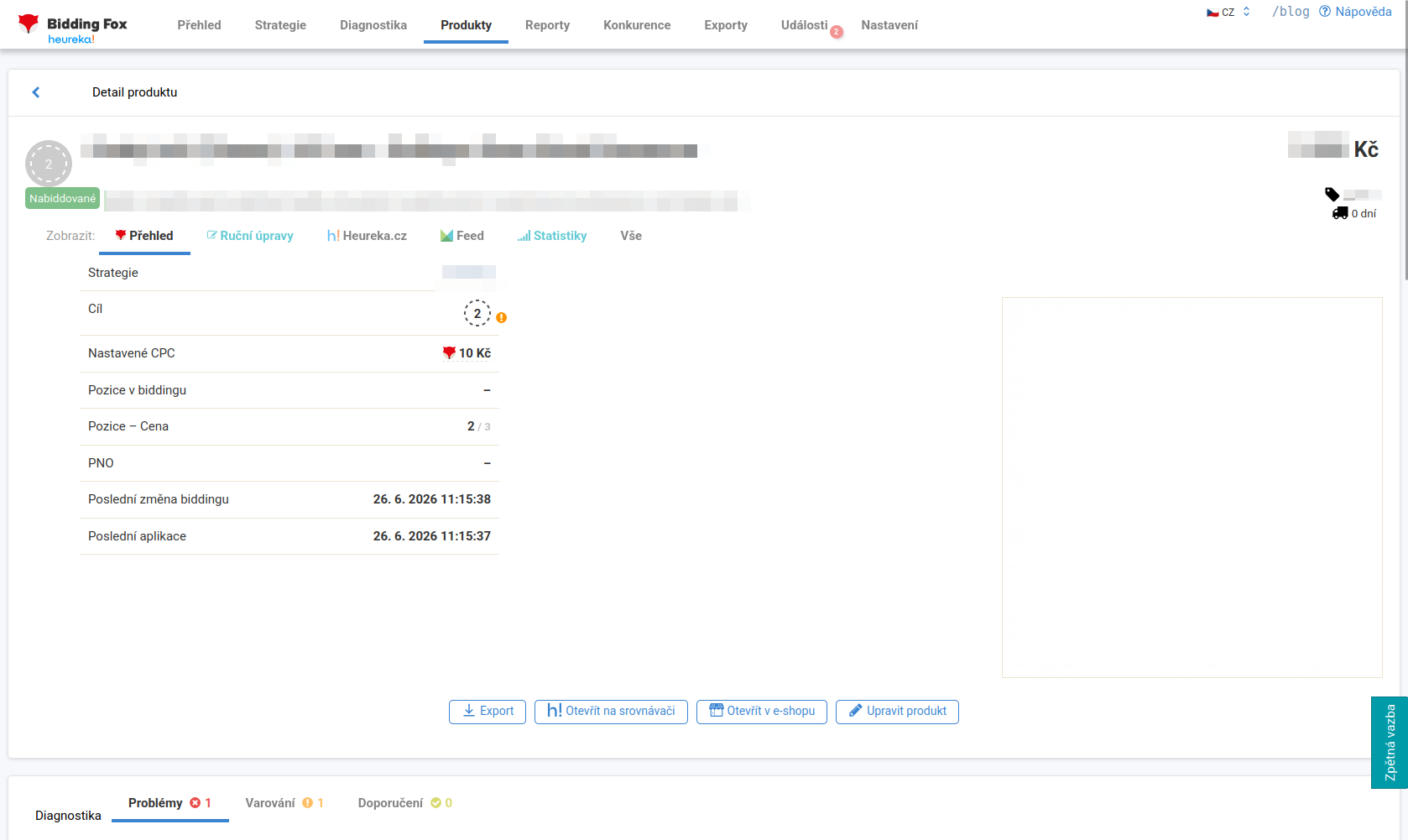
After opening a product you will see more details: which strategy it belongs to, what it targets, when the last bidding change and rule application took place, product-level diagnostics, statistics over 30 days (switchable by source) and a cost-per-click trend chart with the distribution of positions in the card.
Besides the item ID from the feed you also find the Heureka product ID and the Mergado ID here. They help when you need to look the product up on the comparison site, in Mergado, or pass it on to support.
Saved filters#
You can save a configured filter (the Save current filter button) and name it, and you then find saved filters under the Saved filters button. Saved filters:
-
stay active even after you return to the page,
-
can be used directly in strategies (instead of a Mergado query),
-
can be exported and imported into another project (for example from Heureka to Zboží.cz or to another client), so you only need to set up universal filters once.
Manual adjustments and exports#
For a specific product you can use manual adjustments to hard-set the maximum or target CPC. A manual adjustment takes precedence over the strategy setting. Choose whether it should be permanent, a one-time adjustment applies only to the next bidding.
You can download filtered products using the Export button, or have them sent regularly (see Exports). A typical use: you send a product specialist just a few products where a competitor is cheaper, instead of going through the whole assortment.
FAQ#
-
How do I quickly find a specific product from Heureka? Paste the URL of the Heureka product card into the search box. You do not have to look up the product by name or Item ID.
-
Why filter by the Heureka category and not the feed one? Heureka may place the product in a different category than you have in the feed. The filter by price-comparison site category therefore returns more accurate results.
-
What are saved filters for? You can use them directly in strategies, transfer them between projects (for example from Heureka to Zboží.cz) and quickly return to them without filling them in again.
-
Does a manual CPC adjustment override the strategy setting? Yes, a manual adjustment takes precedence. Choose whether it should be permanent, a one-time one applies only to the next bidding.
-
Where do I find the product ID for the comparison site or Mergado? In the product detail, where the Heureka product ID and the Mergado ID sit next to the item ID from the feed.