
⚙️ Settings#
In Settings you define which feed elements Fox Data+ uses to identify and display products. Without the source elements filled in correctly, the data won’t link to your products.
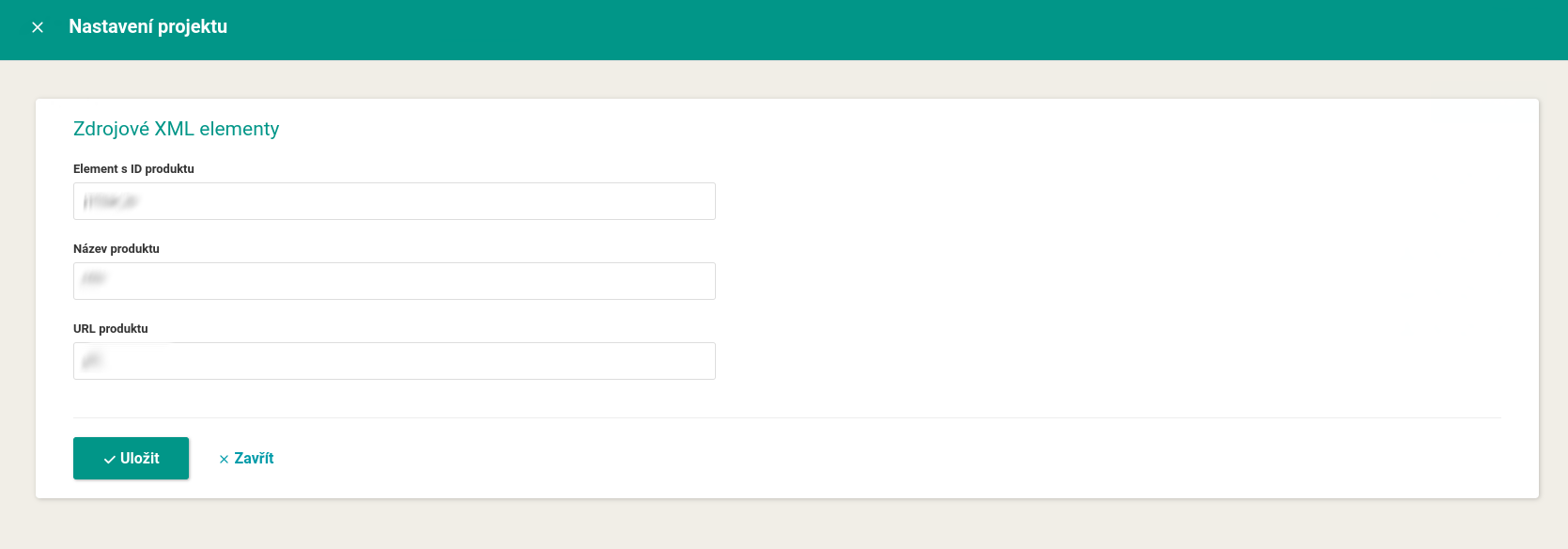
Source XML elements#
Under Project settings you fill in three fields:
- Element with the product ID: the element that uniquely identifies a product (for example
ITEM_ID,g:id, orid). - Product name: the element with the name shown in overviews and exports.
- Product URL: the element with the product address, so you can click through from reports straight to the online store.
Save the settings with the Save button.
⚠️ For the element with the product ID, mind the exact name, including letter case. If it’s wrong, the data won’t link and Fox Data+ won’t see any products.
FAQ#
-
Why doesn’t Fox Data+ see any products? You probably don’t have the element with the product ID filled in correctly under Settings (mind the letter case), or the data hasn’t loaded yet (it takes about 24 hours after activation).
-
Where do the statistics (clicks, revenue, position) come from? They are supplied to Mergado by Bidding Fox Elements. Fox Data+ only displays, watches, and exports them.
-
Where do I set up the connection to Heureka, Zboží.cz, or Google Analytics? Those are managed in Mergado Keychain, and the data is supplied through them by Bidding Fox Elements, not directly by Fox Data+.