How to connect the UNAS online store platform to Mergado Editor#
How to connect an online store running on the UNAS platform to Mergado Editor via API?#
Step 1#
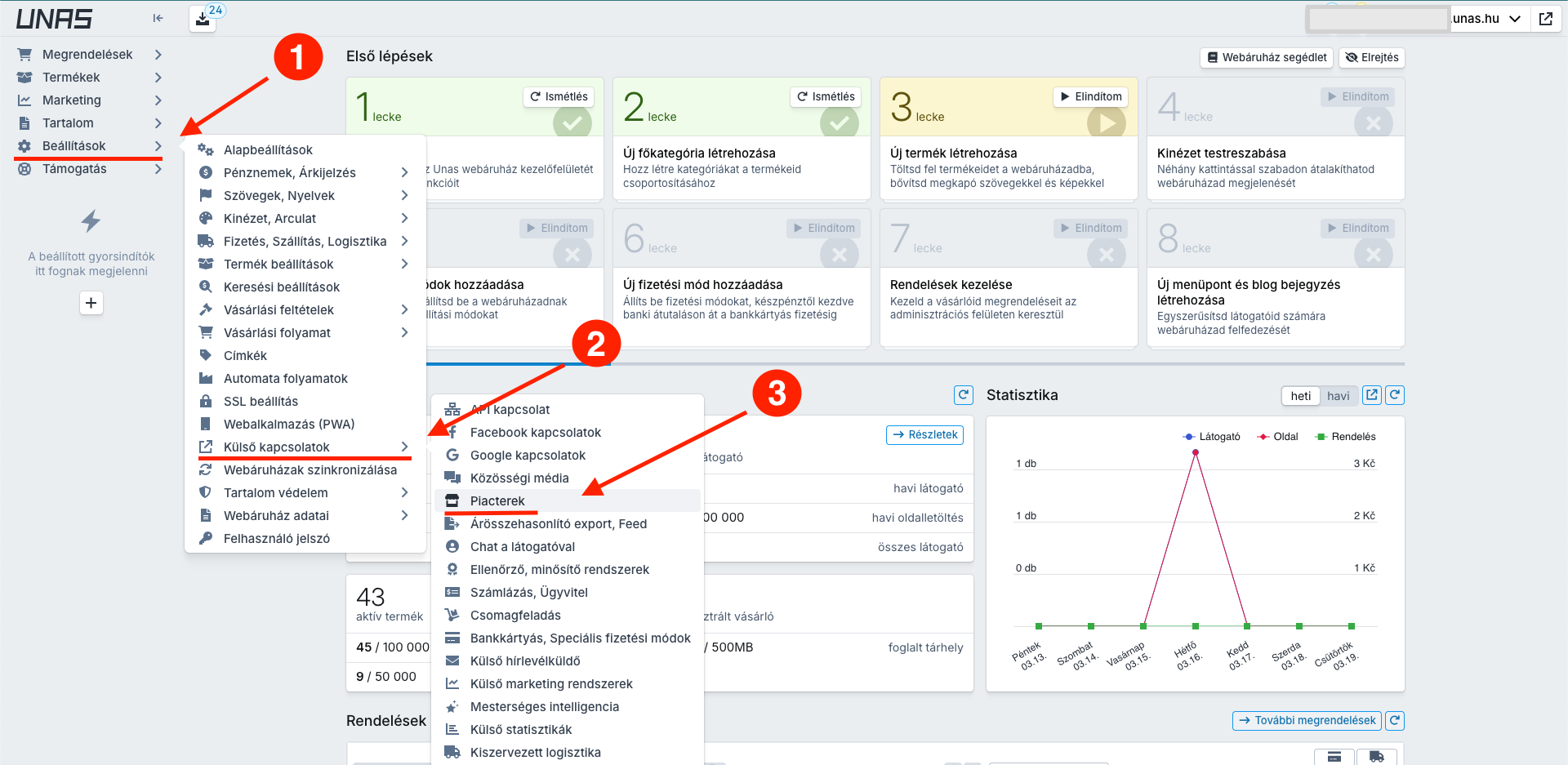
First, you need to create an access key within the online store platform. Go to Beállítások -> Külső kapcsolatok -> Piacterek
Example of the full path:
Step 2#
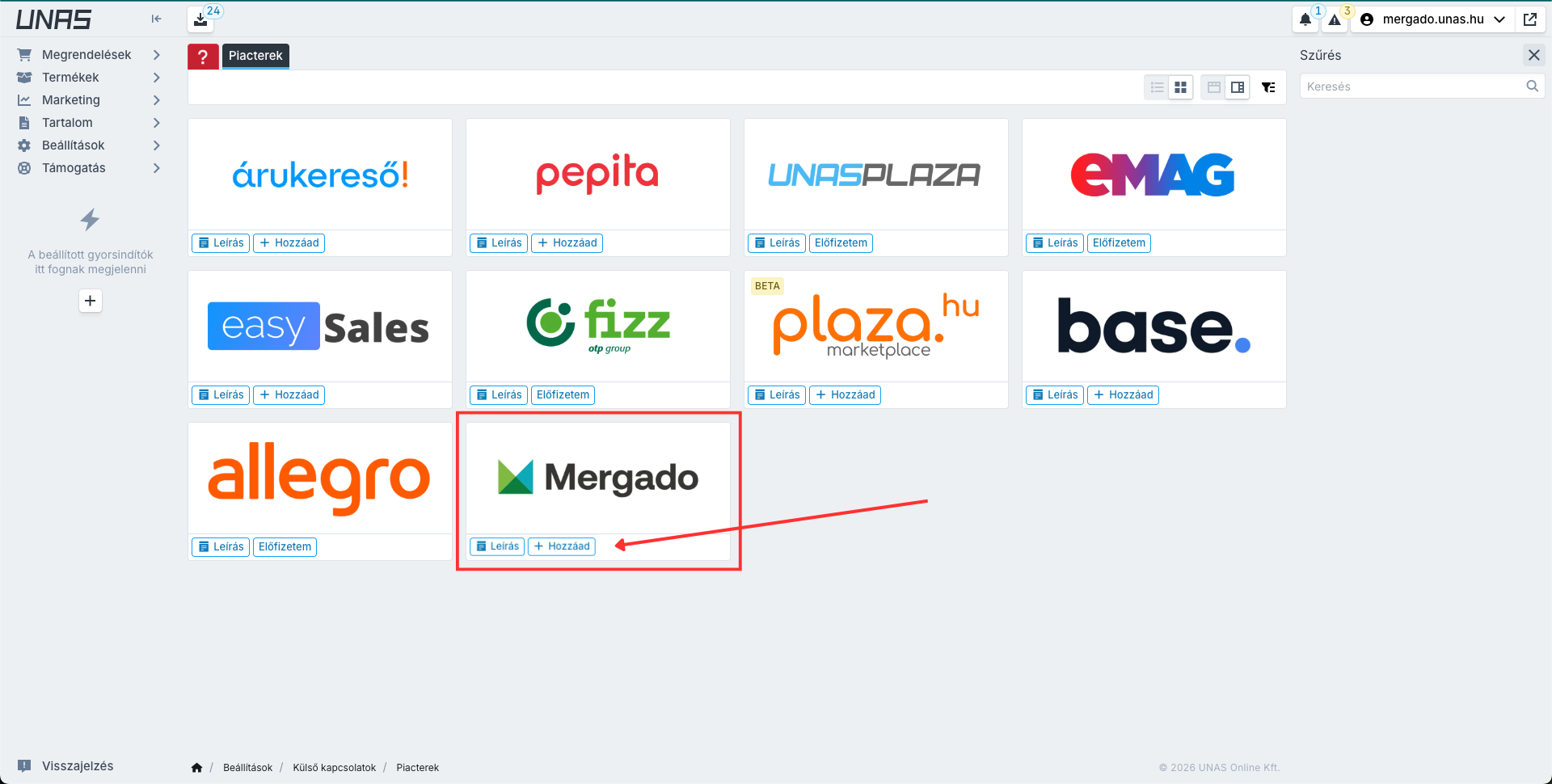
On the page, create a new API key by clicking the button Hozzáad in the Mergado box.
Step 3#
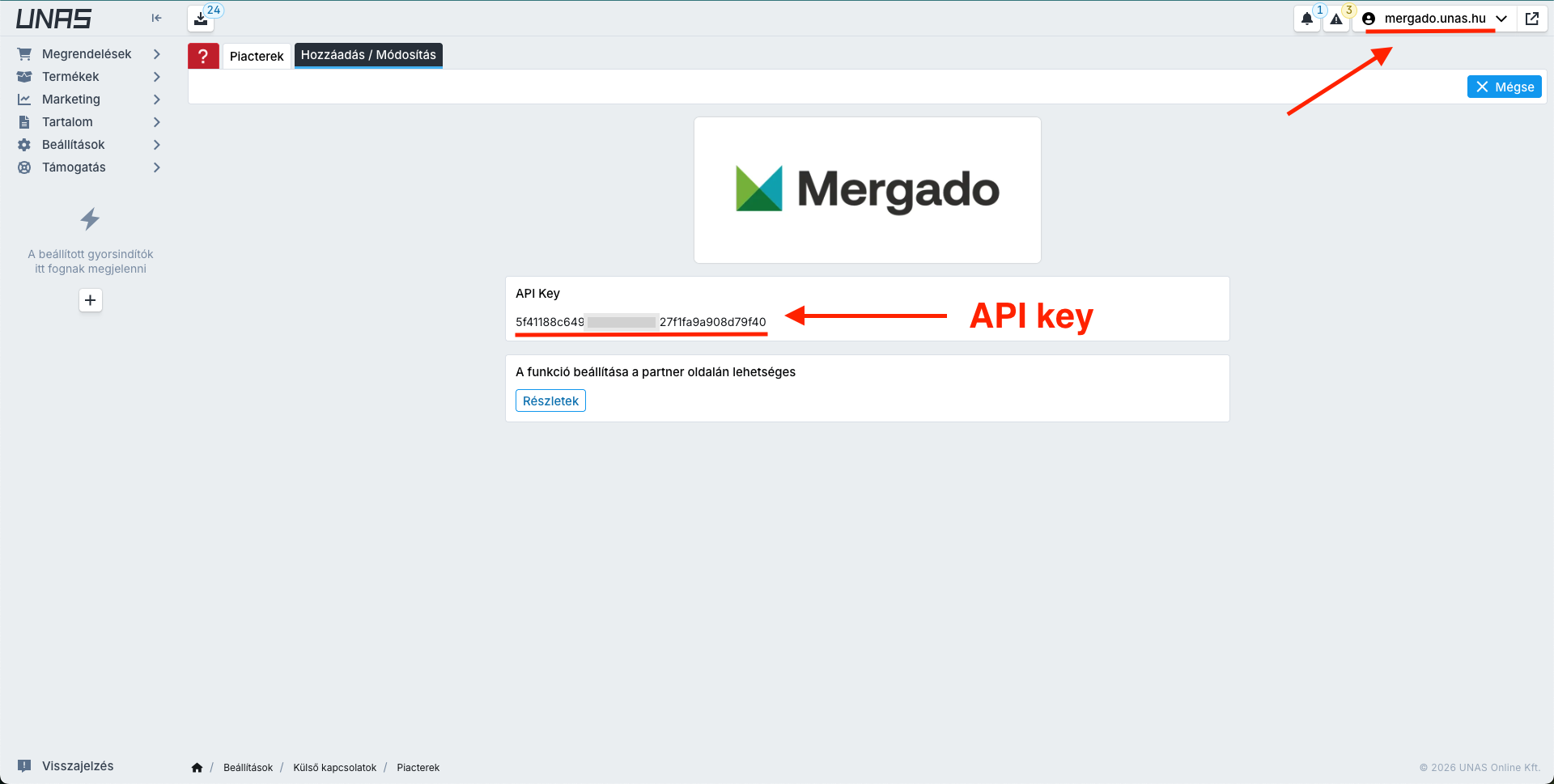
Copy the API key and online store ID.
Step 4#
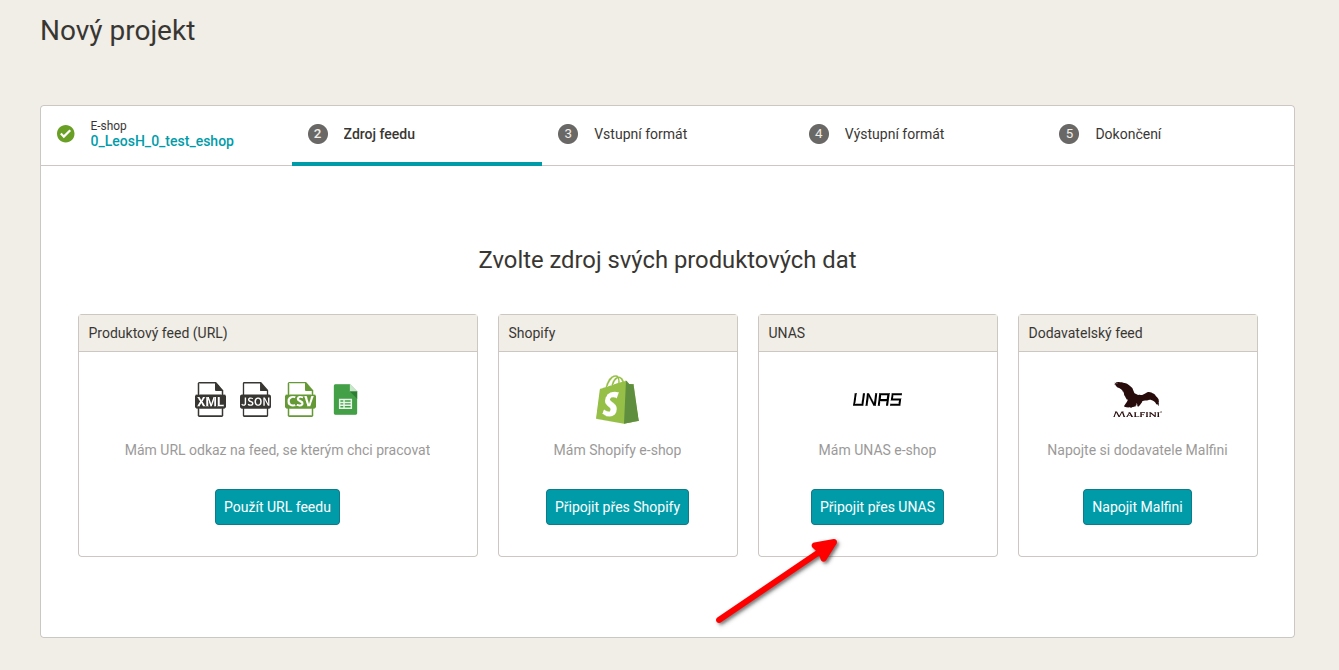
When creating a new project in Mergado, choose UNAS as the data source.
Step 5#
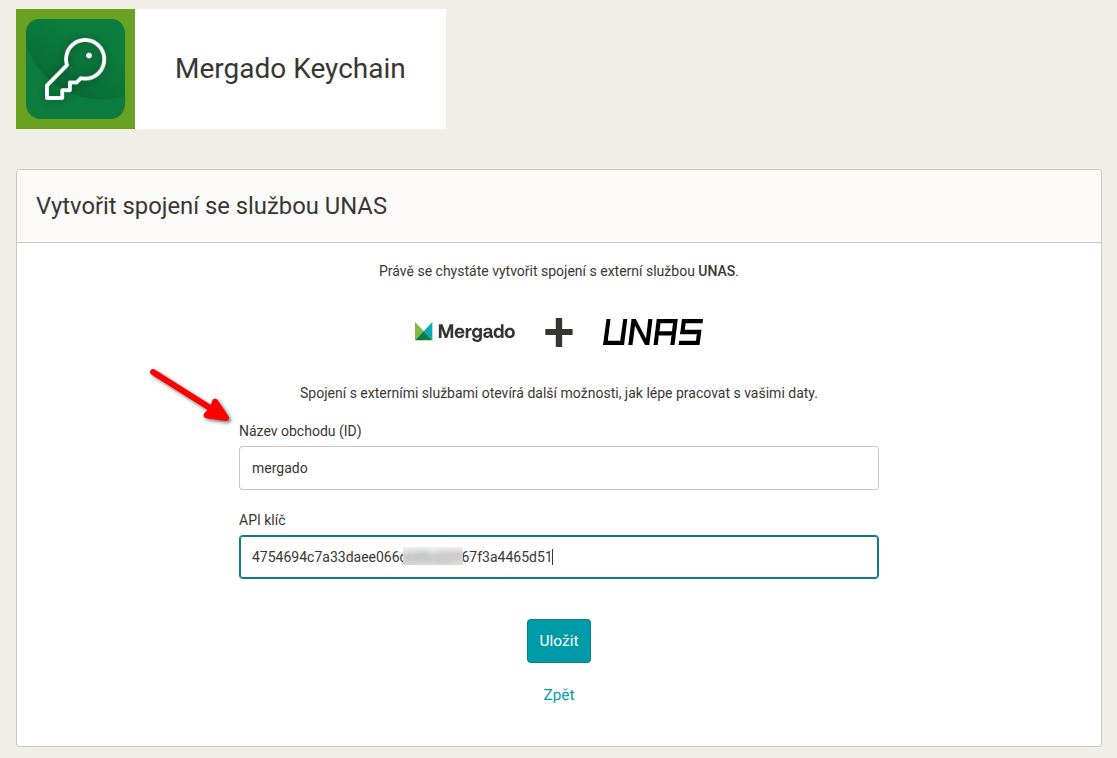
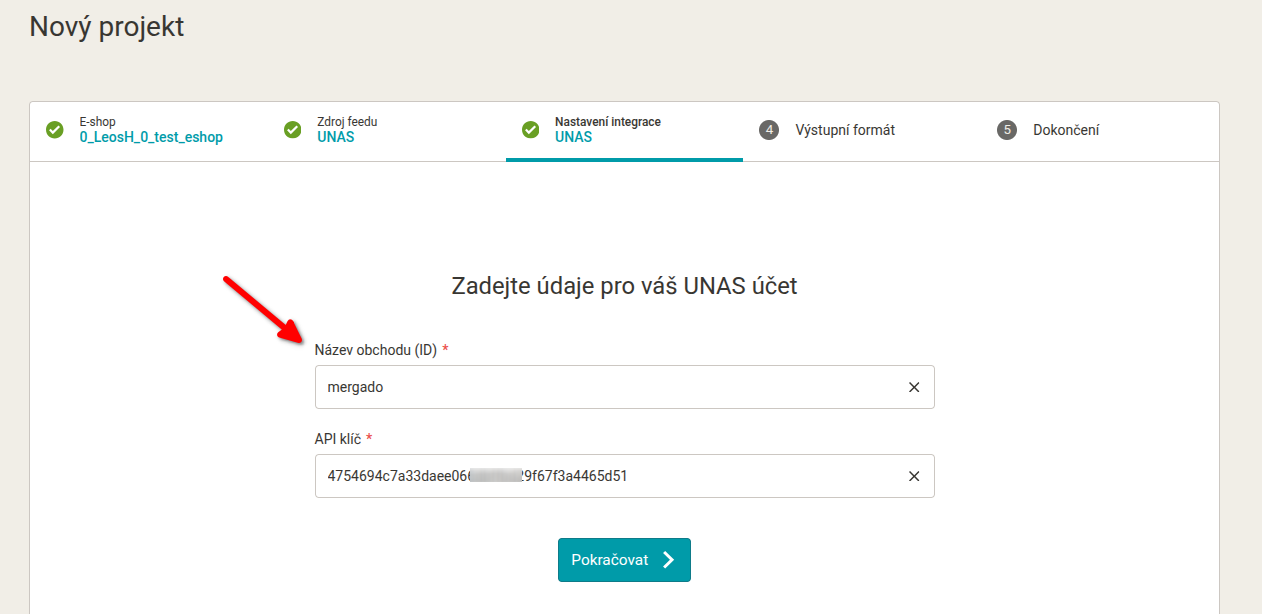
Enter the API key and online store ID in the project creation wizard in Mergado:
Step 6#
From here, continue with the standard output format selection and project completion. In the wizard, you can now also select the feed language — choose the language corresponding to the market for which the feed from UNAS should be generated.
If you do not change the language, the default language of your UNAS online store is used (default_locale).
Tip! Optional connection via Mergado Keychain: You can also set up the UNAS connection outside the project creation wizard. Directly in Mergado Keychain, you can prepare the UNAS connection in advance, and when creating a project, you won’t need to enter the credentials again.