
🔍 Competition#
The Competition page shows who you actually meet in product cards on the price-comparison site, across the whole of Heureka, not just according to who you consider a competitor. Competitors are sorted by the number of shared products.
At the top you filter by store, position, category and manufacturer, or you can display watched competitors only. The list can be exported or downloaded as a PDF, and via Show details you expand further information.
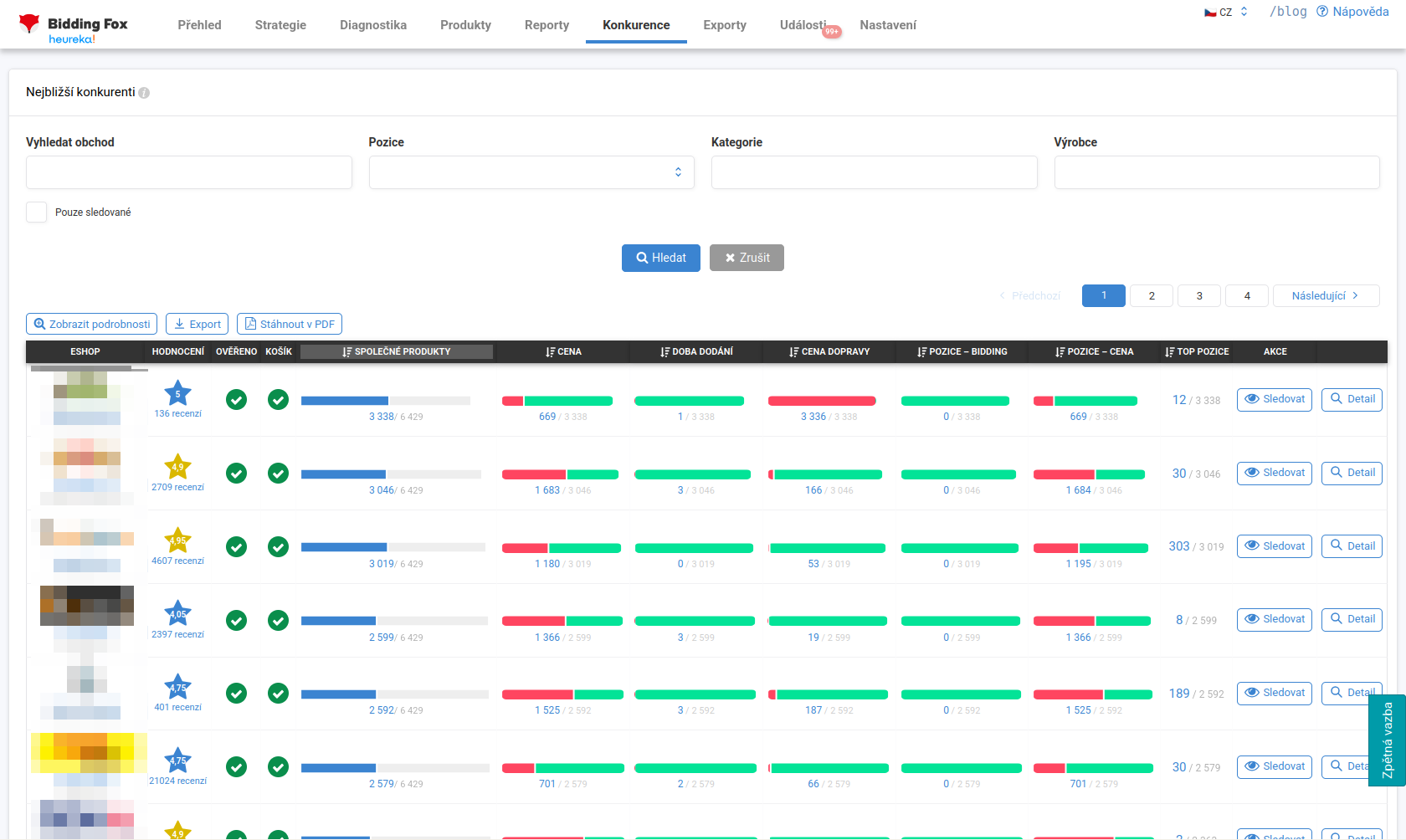
List of competitors#
For each competitor you see:
-
Rating and the number of reviews, the Ověřeno zákazníky (Verified by Customers) and Heureka Marketplace flags.
-
the number of shared products (how many cards you meet in),
-
a color comparison (green where you are better, red where the competitor is better) for price, delivery time and shipping price,
-
the distribution of positions in bidding and positions by price,
-
the number of products where the competitor is in the top position.
Watching a competitor#
You can mark a competitor as watched. Then:
-
they appear as a column on the Products page,
-
in their Detail you see more information: which manufacturers and categories you meet in most often, whether they give gifts, how the number of shared products developed over time and who was cheaper or more expensive.
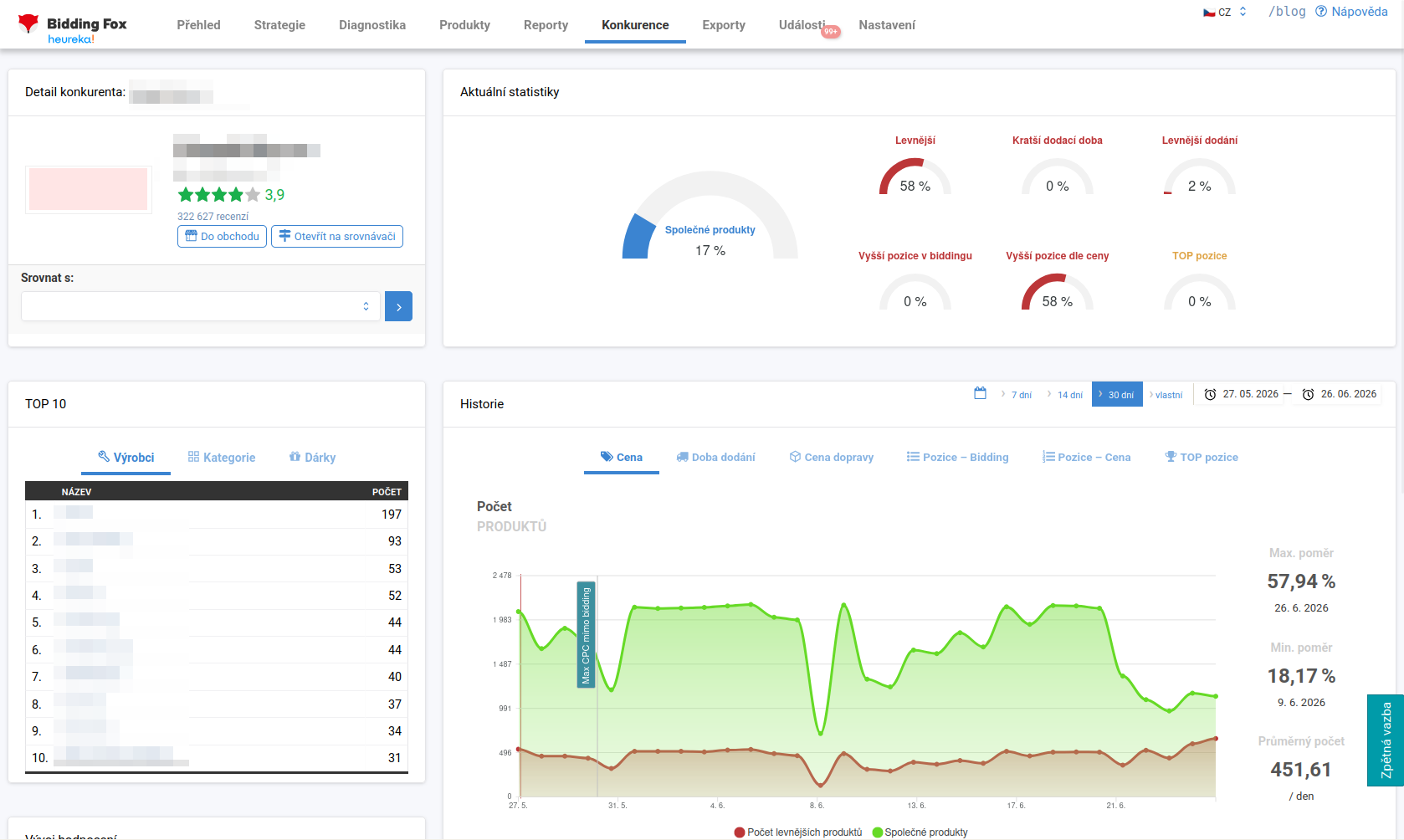
The data on reviews and ratings is also useful: how many reviews the competitor gains per day and how their satisfaction develops. From this you can roughly estimate the number of their orders.
💡 You can filter the competition by selected categories. For different categories (bikes, coffee, electronics) completely different competitors are often relevant.
FAQ#
-
How does Bidding Fox determine my competitors? Actually from the product cards across the online store’s assortment on the price-comparison site, by the number of shared (matched) products, not by who you consider a competitor.
-
Why do I not meet a competitor in bidding, even though they are in the card? If they do not have the Ověřeno zákazníky certificate, they do not enter bidding.
-
What is watching a competitor for? A watched competitor appears as a column on the Products page and in their detail you see shared manufacturers, categories and the increase in reviews per day.
-
How do I find out where a competitor is cheaper? By clicking through to the number of products under the color comparison in the list, or via the competition filter on the Products page, from where you can have an export sent to you.