
🤖 MCP and AI assistant#
Bidding Fox supports the Model Context Protocol (MCP). Thanks to it, an AI assistant such as Claude, ChatGPT, Cursor or Claude Code reaches the data of your project, and you can simply ask in plain language instead of looking the numbers up in the interface yourself.
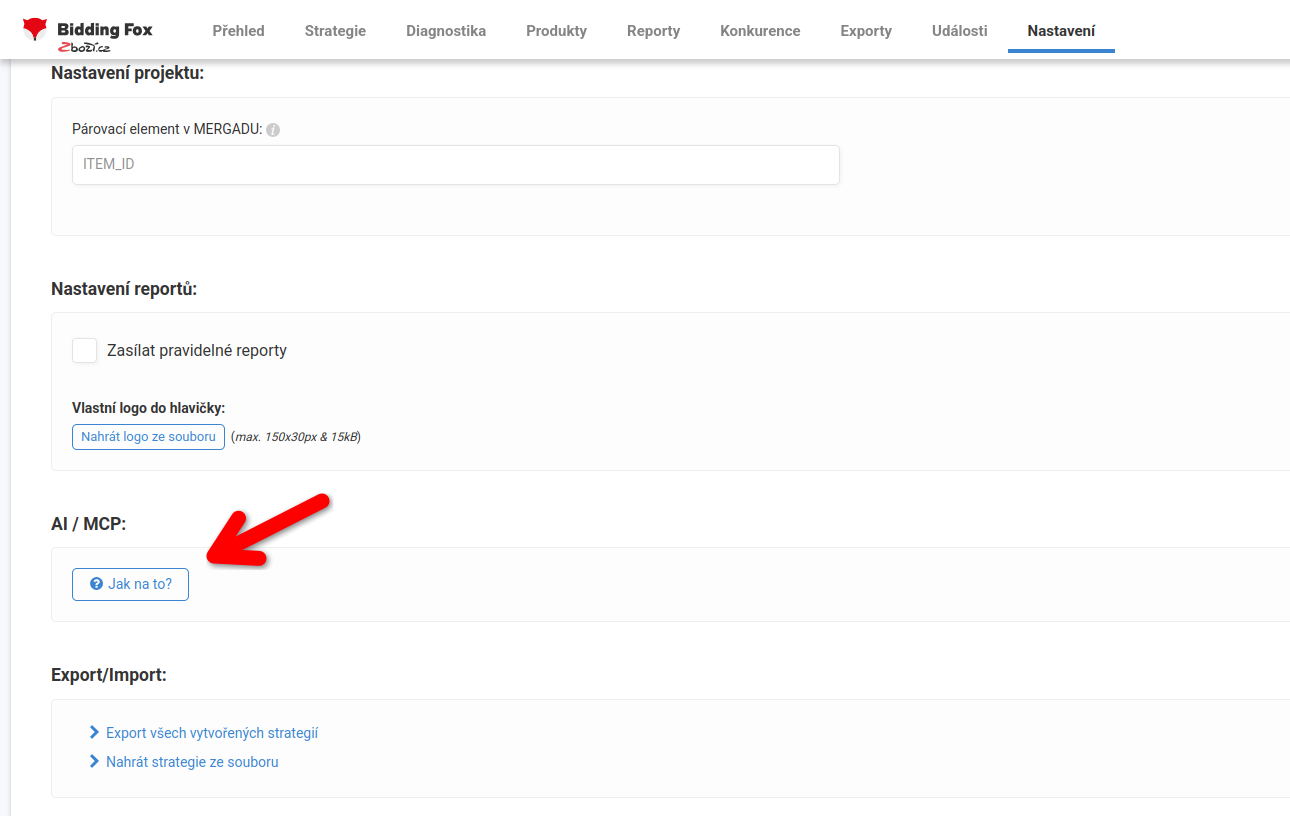
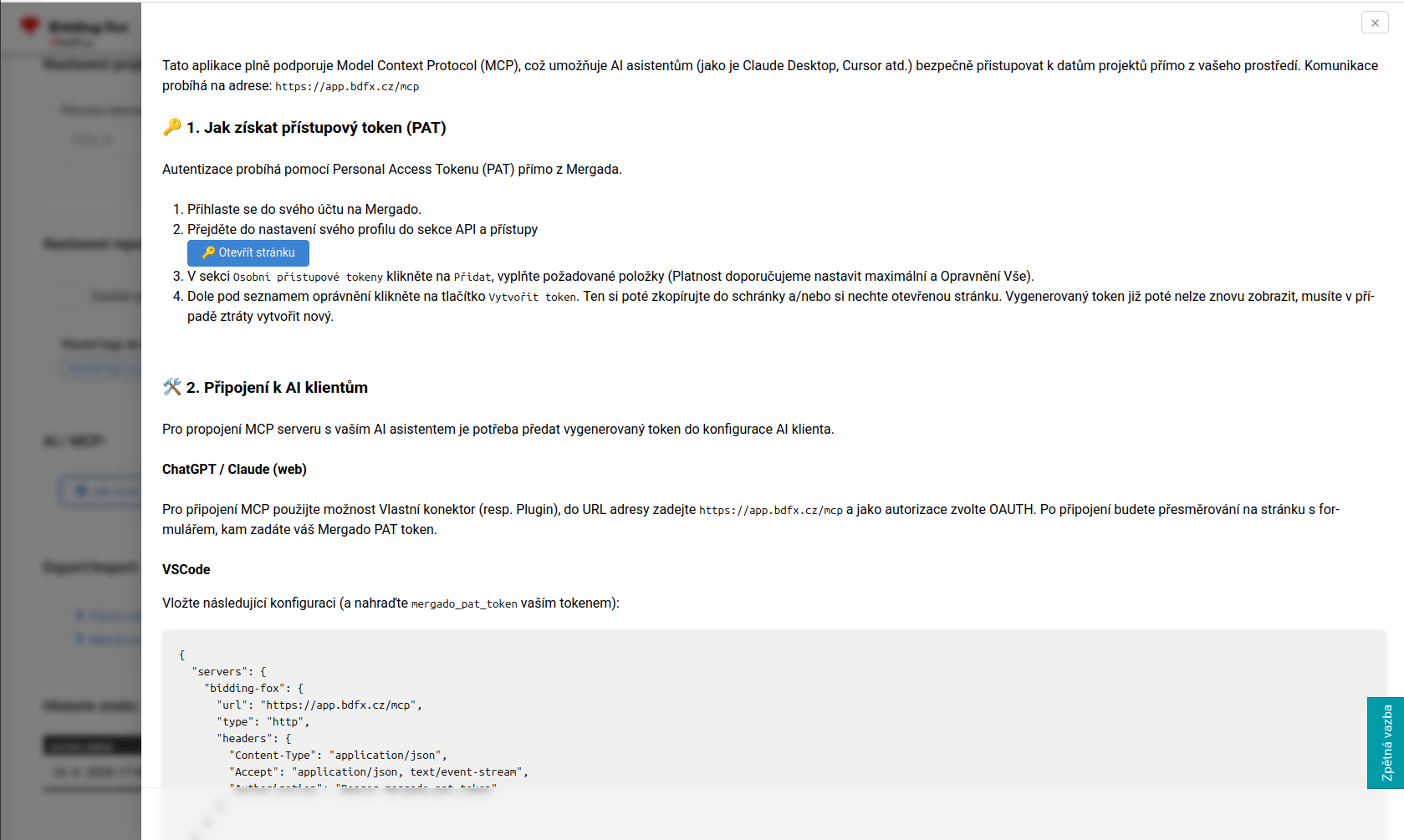
You have the connection guide right in the application: on the Settings page, in the AI / MCP section, click How to?. A panel opens with the MCP server address, the steps for creating an access token and configuration samples for individual AI clients.
What MCP is good for#
Through MCP the AI assistant works with the data of one specific project, so it suits quick questions and checks that would otherwise mean clicking through filters and exports:
-
“How many products fall into my TOP products strategy right now?”
-
“List the products whose CPC is higher than half their price.”
-
“Sum up how the PNO (cost/revenue ratio) developed over the last month.”
-
“Which project setting changed last, and who changed it?”
-
“Find the products where a specific competitor is cheaper.”
What the assistant can handle depends on the tools Bidding Fox offers through MCP and on the permissions of the token you use.
Server address and authorization#
| Item | Value |
|---|---|
| MCP server | https://app.bdfx.cz/mcp |
| Authorization | Mergado PAT in the Authorization: Bearer <your-token> header, OAuth in web clients |
| Scope of rights | according to the token permissions and your rights in Bidding Fox |
How to get an access token (PAT)#
-
Sign in to your Mergado account.
-
In your profile settings, open the API and access section.
-
In the Personal access tokens part, click Add and fill in the required items. We recommend setting the maximum validity and the permissions according to what the assistant should do.
-
Click Create token and copy the generated token.
⚠️ The token will not be displayed again once you close the page. If you lose it, you have to create a new one. Treat it like a password: never share it in chat, e-mail or public repositories.
The Personal access token (PAT) article covers tokens in detail.
Connecting to AI clients#
ChatGPT and Claude in the web interface#
Use the custom connector option (a plugin in ChatGPT), enter https://app.bdfx.cz/mcp as the address and choose OAUTH as the authorization. After connecting, the application redirects you to a form where you enter your Mergado PAT.
VSCode#
Insert the following configuration and replace mergado_pat_token with your token:
{
  "servers": {
    "bidding-fox": {
      "url": "https://app.bdfx.cz/mcp",
      "type": "http",
      "headers": {
        "Content-Type": "application/json",
        "Accept": "application/json, text/event-stream",
        "Authorization": "Bearer mergado_pat_token"
      }
    }
  },
  "inputs": []
}
Claude Code#
Enter the command in the console and replace mergado_pat_token with your token:
claude mcp add --transport http bidding-fox https://app.bdfx.cz/mcp \
  --header "Authorization: Bearer mergado_pat_token"
What the AI assistant helps you with#
| Area | What the assistant can do |
|---|---|
| Products | Search products and read their detail (price, CPC, position, statistics), work with saved filters and labels. |
| Strategies and settings | List the strategies and the project settings, explain what drives bidding, check that the settings are valid and go through their history. |
| Diagnostics and reports | Read the project overview, reports and metrics, including how they developed over time. |
| Competition | List competitors and compare where you are more expensive or cheaper. |
| Exports and events | List the exports you created and go through the events in the project. |
The assistant makes changes only where the available tools and the token permissions allow it, and always based on your request.
💡 Before you let the assistant change anything, have it list what it is about to do. Changes to strategy settings take effect with the next bidding.
FAQ#
-
Where do I find the server address and the guide? On the Settings page, in the AI / MCP section under the How to? button. The server address is
https://app.bdfx.cz/mcp. -
What do I need for the connection? A Mergado PAT with the matching permissions and an AI client that supports MCP over HTTP.
-
The AI client reports an authorization error. Check that you pasted the whole token, that it has not expired and that the header follows the
Authorization: Bearer <token>format. -
Can the AI assistant change bidding settings? Yes, if the available tools and the token permissions allow it. When you only want to check and read data, create a token with read permissions only.
-
Do I have to tell the assistant which project to use? Yes. The Bidding Fox tools work on one specific project, so always state in your request which project the assistant should work with.