
Connecting orders to WooCommerce with Mergado Marketplaces#
The Mergado Marketplaces extension allows you to manage orders through WooCommerce. If you run an online store on WooCommerce and sell on Allegro or Kaufland, you can now work with your orders directly in your shop’s admin interface.
🎪 Our vision is simple: Manage marketplaces like your online store. Easily list products via Mergado and handle order management directly in your e-shop platform – just as you’re used to.
The first integrated platform is WooCommerce, but you can look forward to additional functions for this integration and future integrations with other e-commerce platforms.
How does it work?#
Orders from Allegro or Kaufland are automatically transferred to WooCommerce every 5 minutes via Mergado Marketplaces. When you update an order in your shop (e.g., mark it as shipped), the status is also synced back to the marketplace.
If we get a tracking number from WooCommerce, we also forward it to the marketplace. However, you still need to monitor the marketplace admin interface.
How to enable order management for WooCommerce?#
1. Create a WooCommerce connection in Mergado Keychain#
Within the Mergado extensions, you will also find Mergado Keychain for managing connections. Click on WooCommerce and enter your e-shop URL:
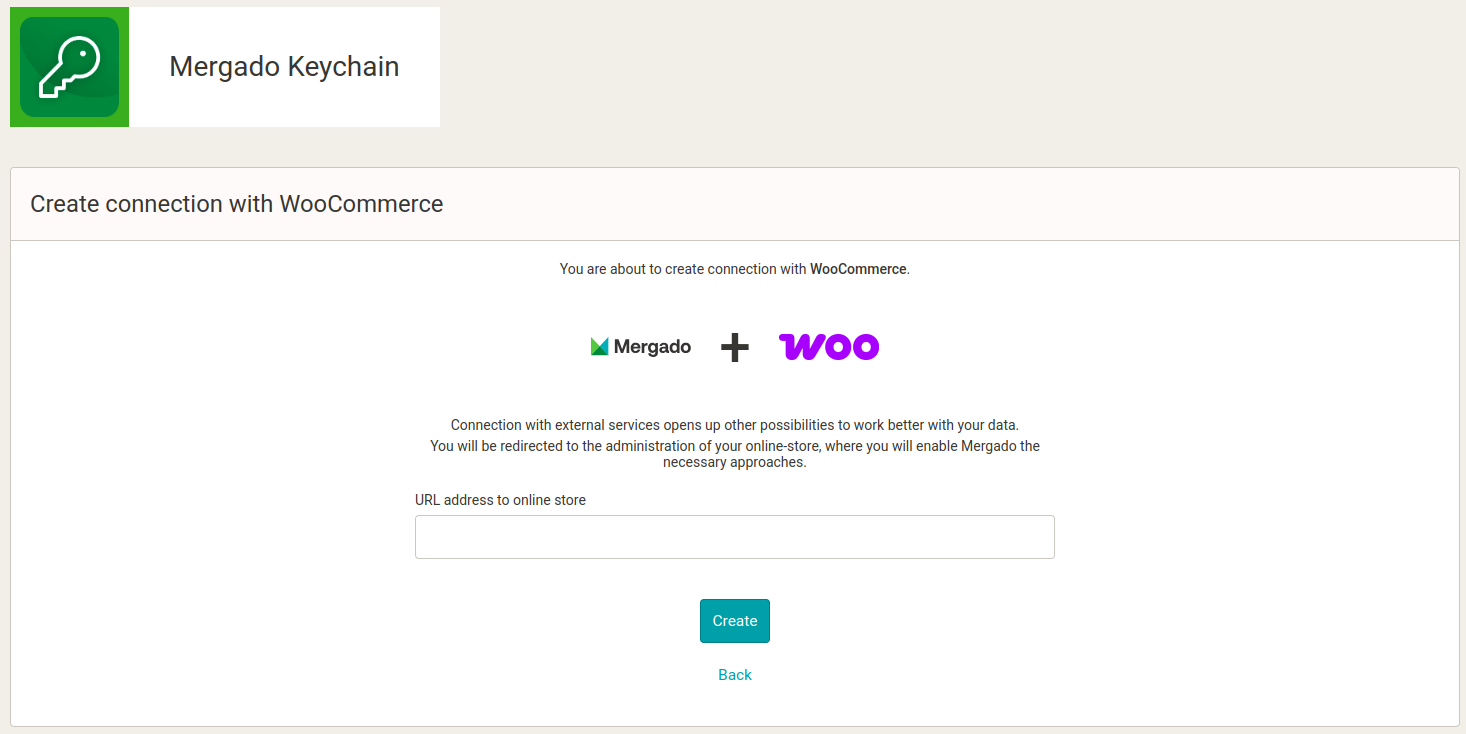
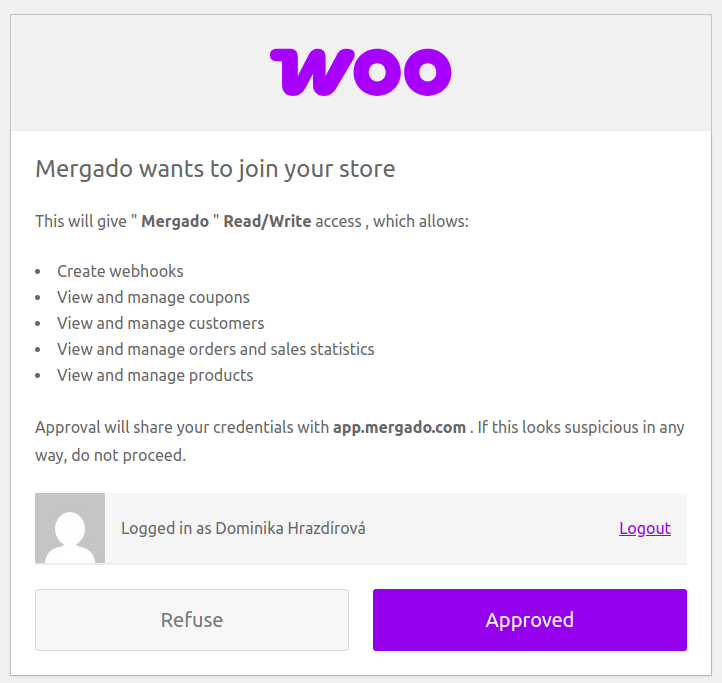
You will then be redirected to WooCommerce, where you will confirm Mergado’s access to your e-shop:
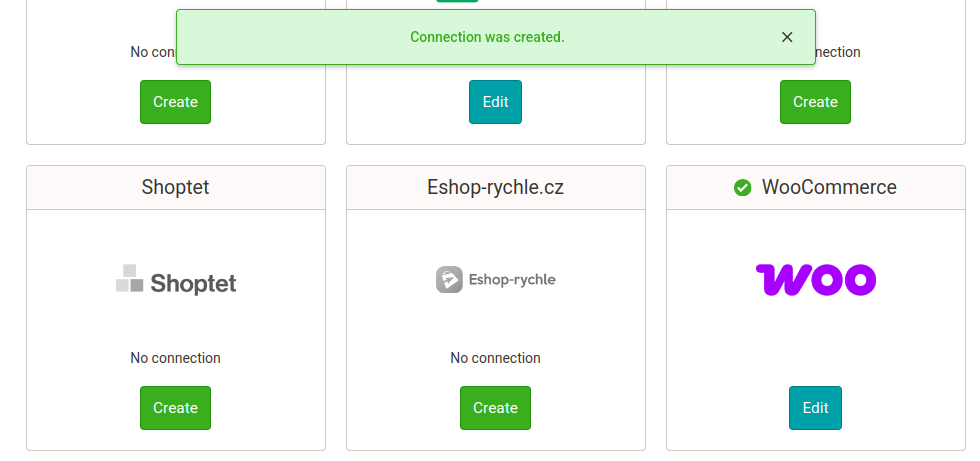
If the connection was successfully established, a green message and an icon will appear next to WooCommerce:
2. Activate Mergado Marketplaces#
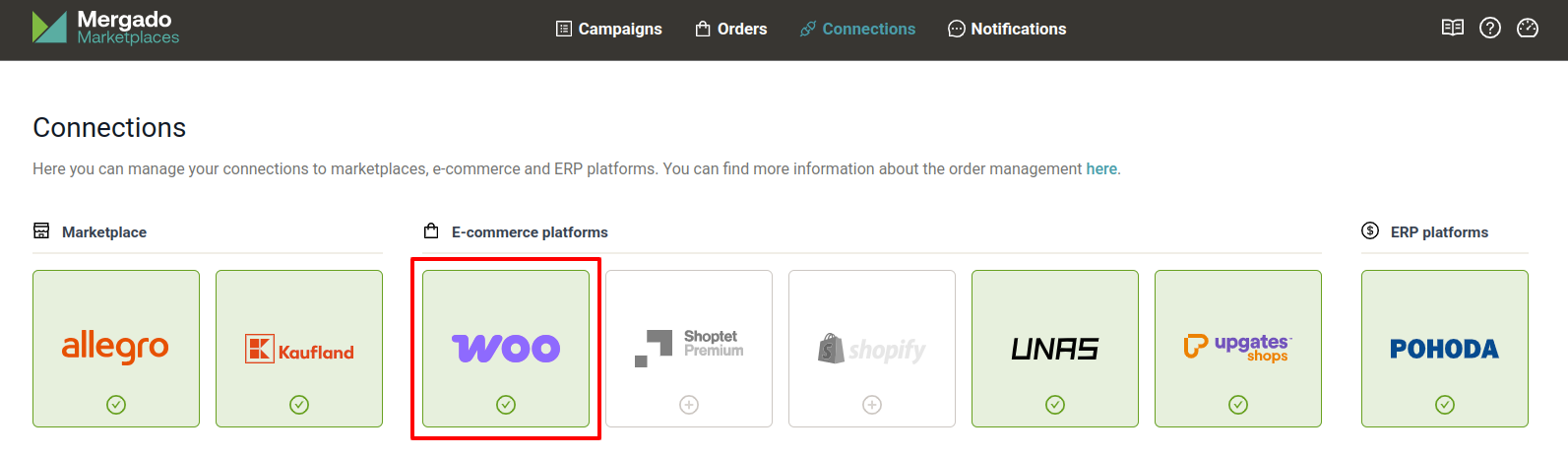
In the Extensions section in Mergado, activate Mergado Marketplaces. In Mergado Marketplaces, go to the Connections section and verify that the WooCommerce connection is active:
3. Activate synchronization#
Go to Orders > Activation, activate the synchronization, and save changes. You can pause the synchronization at any time in the Activation section.
ℹ️ The order management system does not sync orders retroactively. You don’t need to worry about your system being flooded with past orders after enabling it.
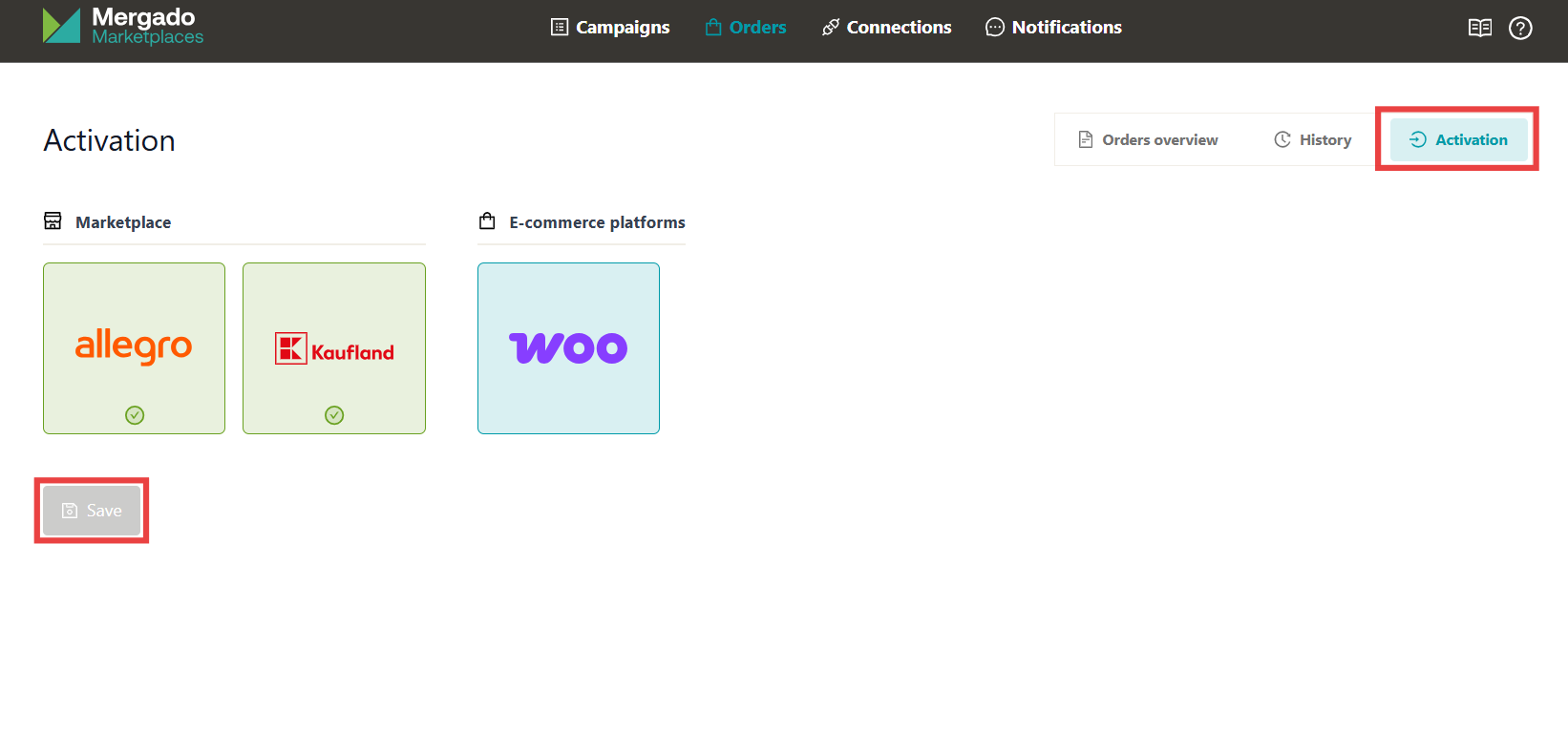
All done! 🎉 From now on, your orders will sync regularly between your Marketplaces and WooCommerce.
Order Metadata#
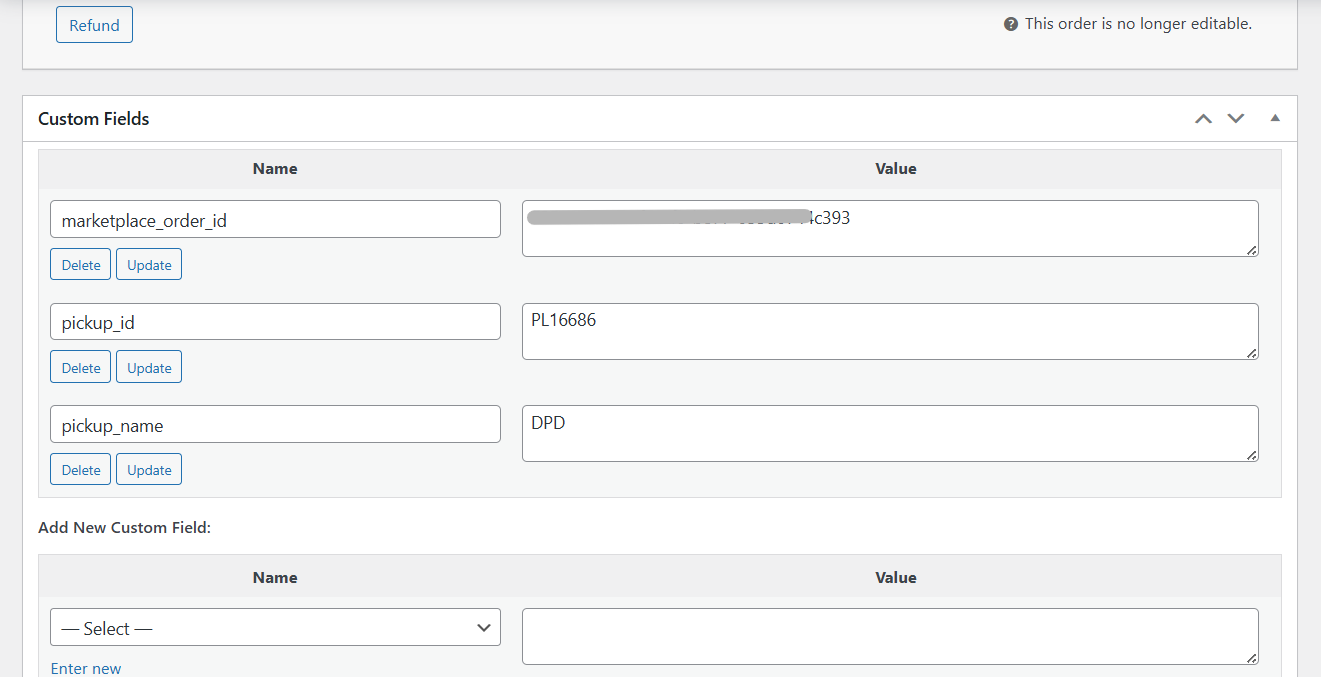
The only place where we can pass additional order data is the order metadata. Currently, you’ll find the following in the metadata:
- The order number from the marketplace
- For Allegro: pickup point code and location
Current Limitations#
- We can currently fetch tracking numbers only when using the official Zásilkovna plugin or the Toret Zásilkovna plugin.
- Without a tracking number, we cannot change the order status to “shipped” on Kaufland.
- We do not support custom order statuses in WooCommerce (if used, the status appears as “unknown” and we do not update the marketplace).
- We do not develop a WooCommerce extension – we only use API connections. Therefore, your WooCommerce admin interface will not be enhanced visually or functionally by this integration.
ℹ️ If you encounter any issues or have improvement ideas, please contact our support at mergado@mergado.com or post here in the forum. Thank you!