How to connect the UNAS online store platform to Mergado Editor#
How to connect an online store running on the UNAS platform to Mergado Editor via API?#
Step 1#
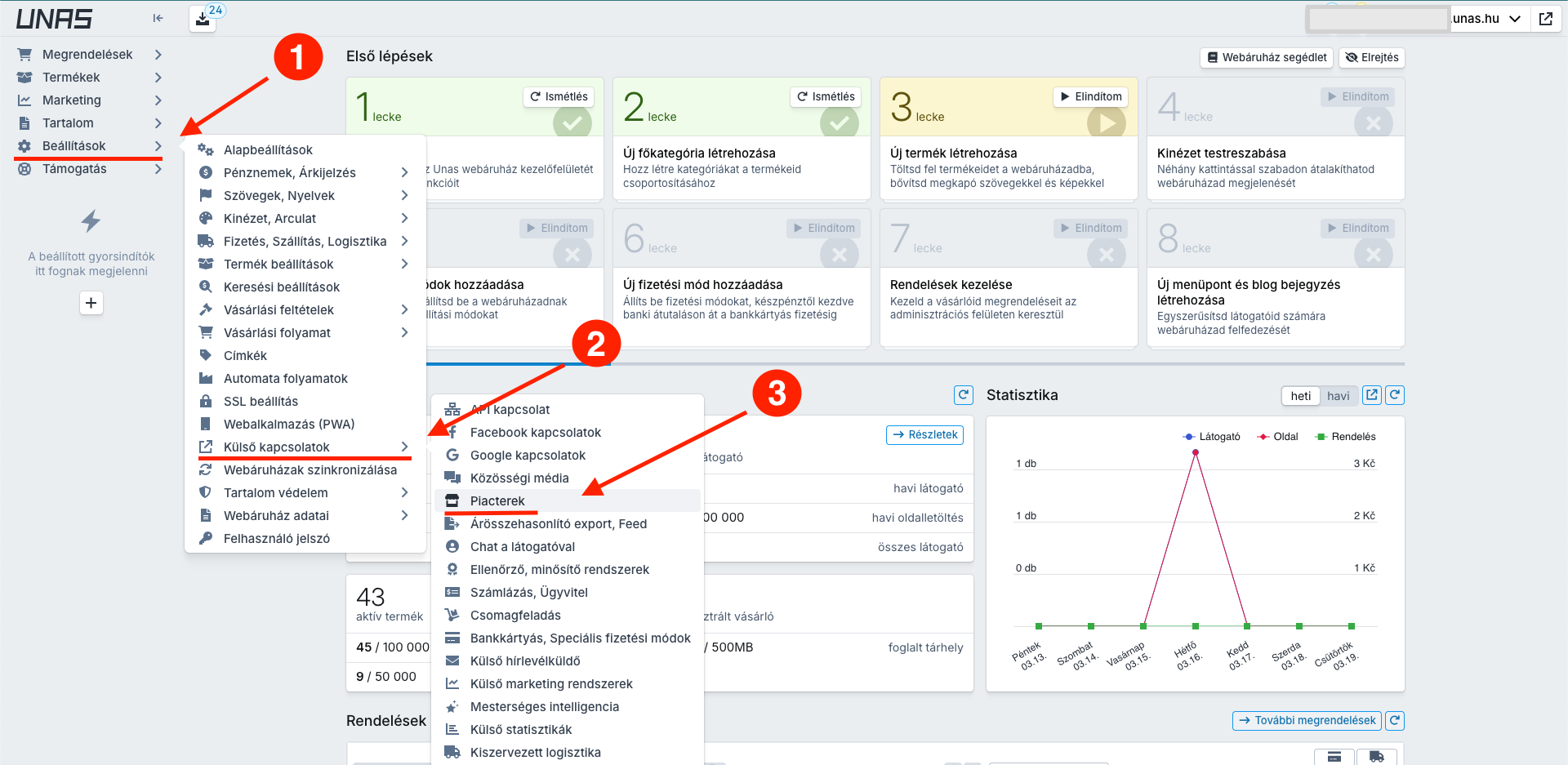
First, you need to create an access key within the online store platform. Go to Beállítások -> Külső kapcsolatok -> Piacterek
Example of the full path:
Step 2#
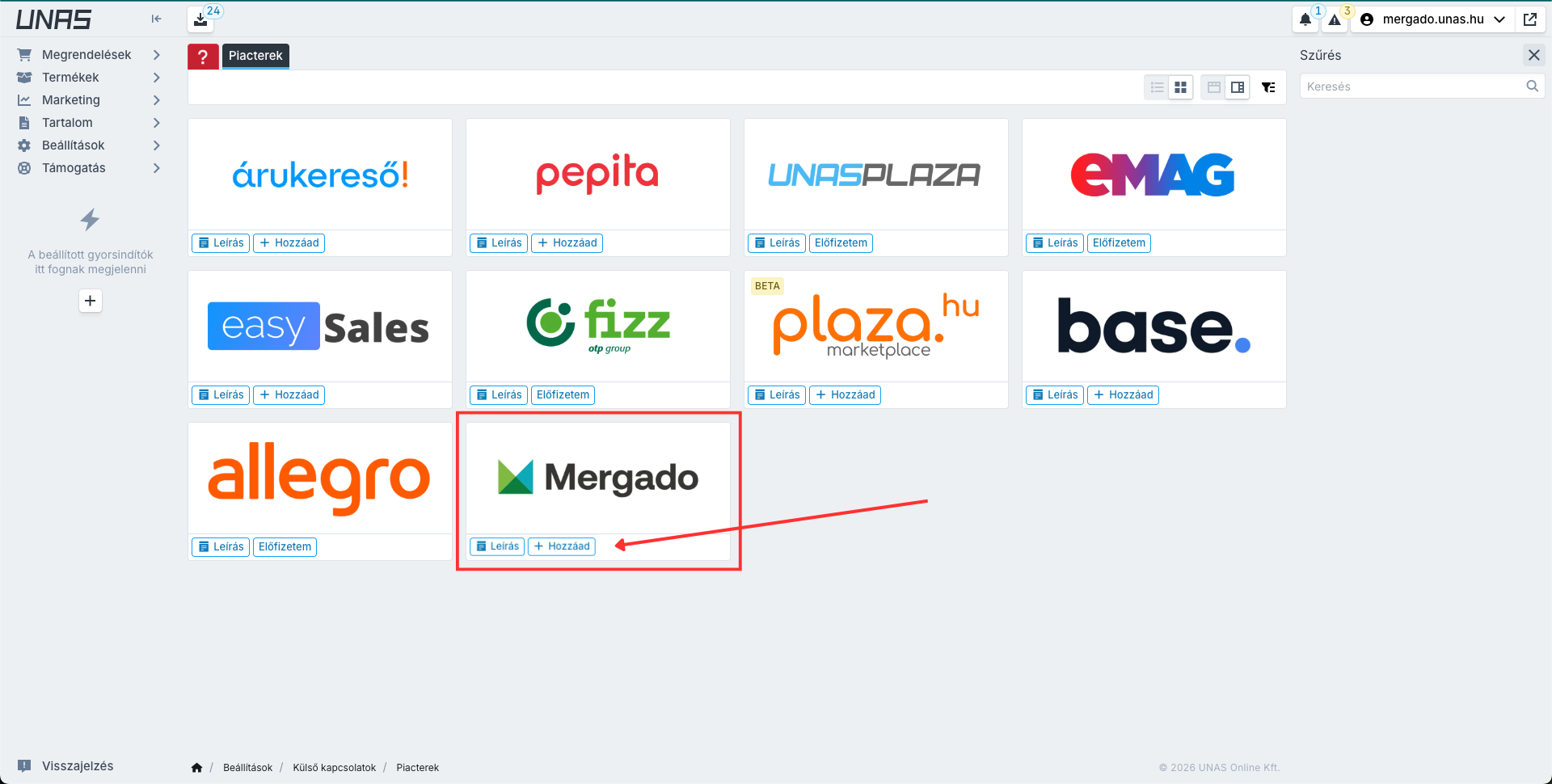
On the page, create a new API key by clicking the button Hozzáad in the Mergado box.
Step 3#
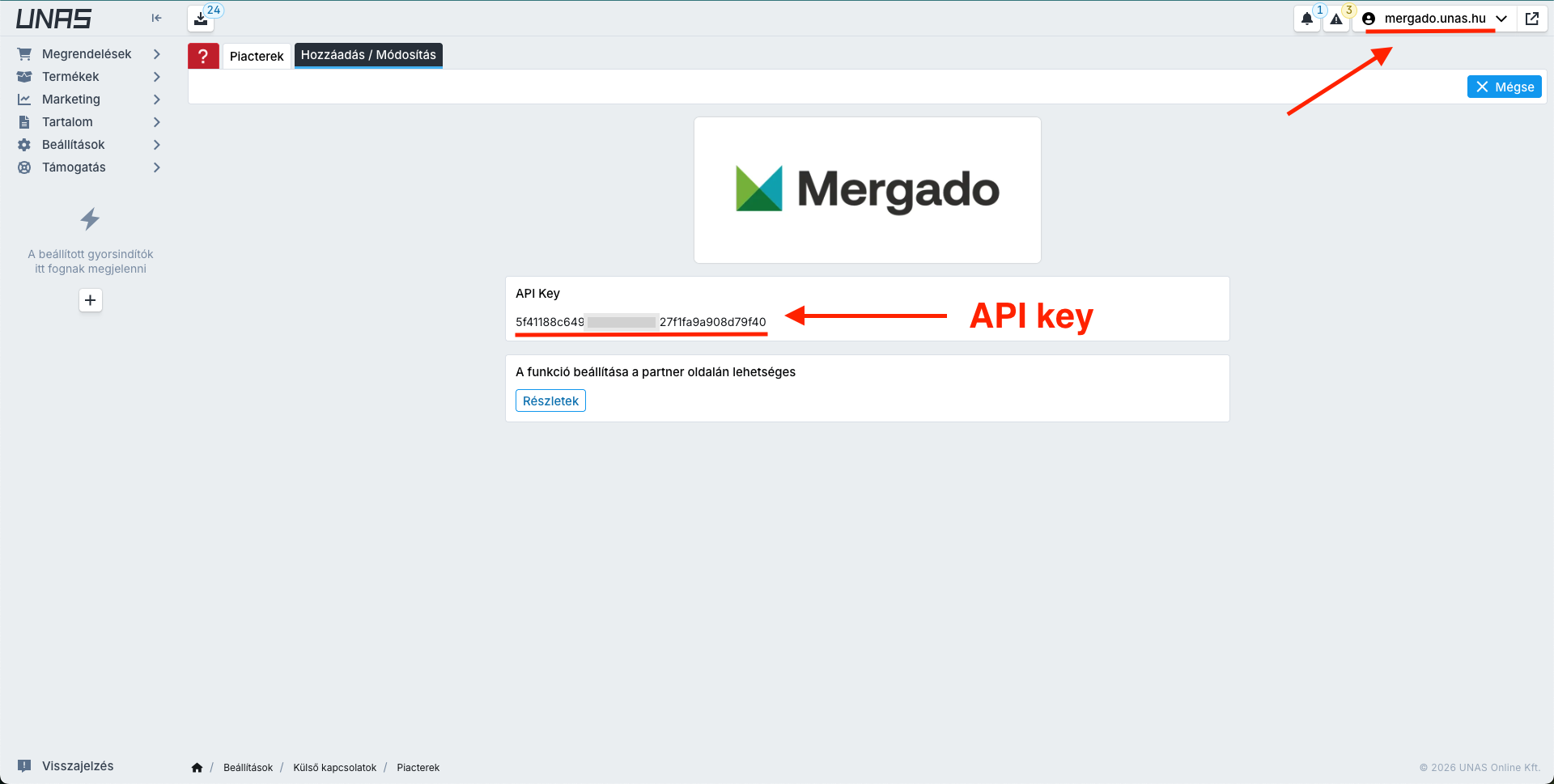
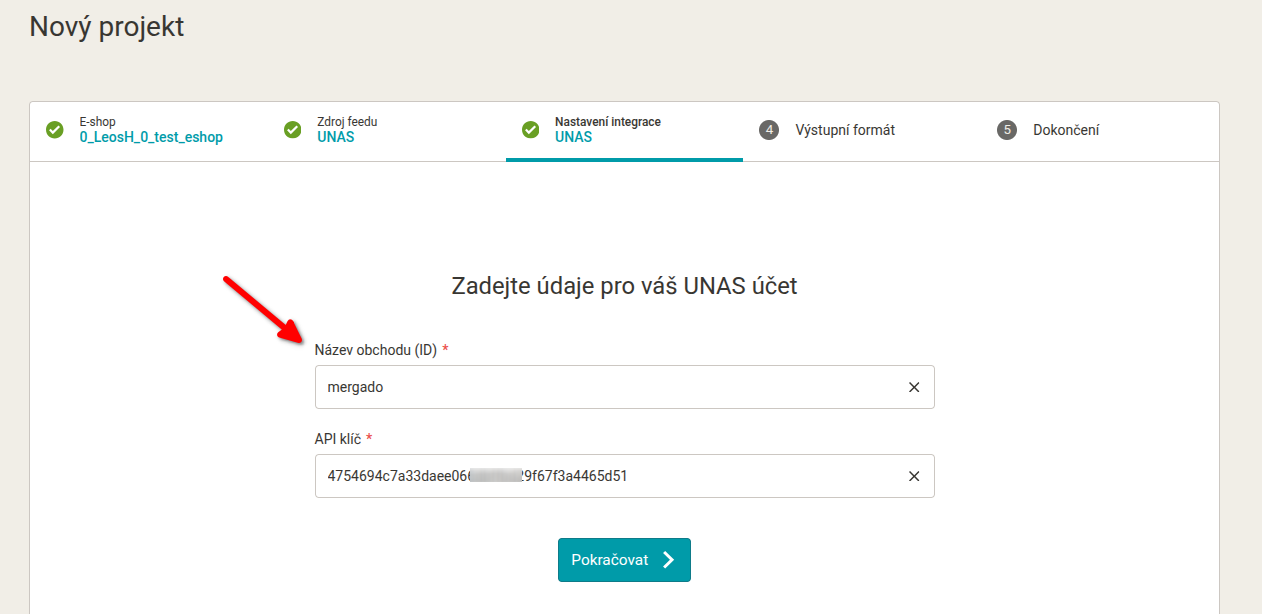
Copy the API key and online store ID.
Step 4#
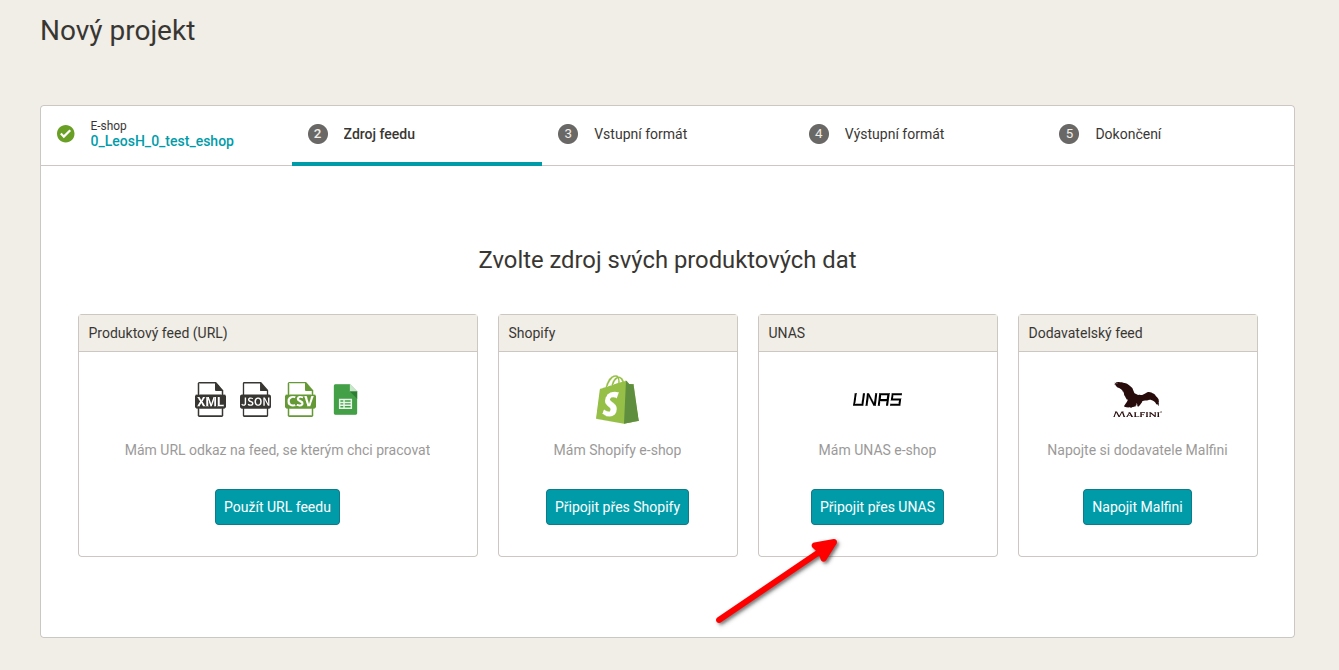
When creating a new project in Mergado, choose UNAS as the data source.
Step 5#
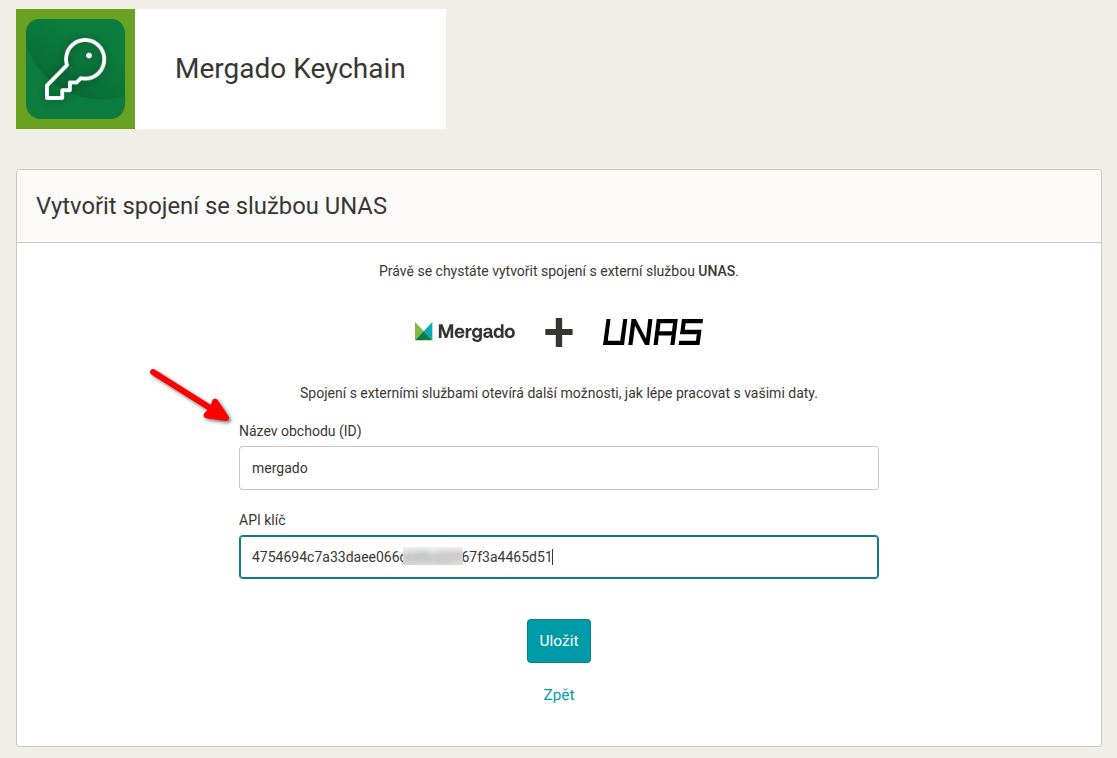
Enter the API key and online store ID in the project creation wizard in Mergado:
Step 6#
From here, continue with the standard output format selection and project completion.
Tip! Optional connection via Mergado Keychain: You can also set up the UNAS connection outside the project creation wizard. Directly in Mergado Keychain, you can prepare the UNAS connection in advance, and when creating a project, you won’t need to enter the credentials again.